
This release focuses on SEEK updates where enabling screening questions for Native Apply makes the application form mandatory and displays questions page on SEEK. SMS reply notifications are now available under the bell icon, linking directly to the relevant profile’s SMS tab. Master Data selection is faster with the default master appearing at the top, and non-functional fields have been removed for a cleaner interface. Included an HTML editor under the email template section. Additionally, we’ve resolved over 2+ bugs during this sprint, ensuring a smoother and more reliable user experience.
Content
📈Enhancements
- Seek
- Across Application - SMS - Web Notification
- Master Data - Default Master
- Across Application - Removed Non- functional Fields
- Email Template - HTML Editor
1. Seek
When screening questions are enabled for Native Apply, the Application Form becomes mandatory, and the questions show on a separate SEEK page. Also, replaced the Advertiser ID text with Hirer ID.
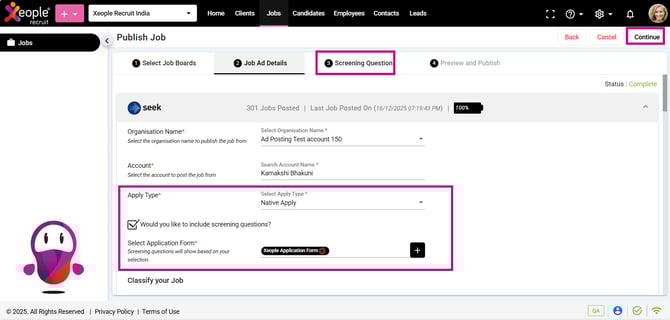
Seek - Native Apply - Application Form - Screening Questions
2. Across Application - SMS - Web Notification
Implemented SMS reply to notifications under the bell icon, linking directly to the SMS tab of the relevant profile.
- Profile Details
- Client Summary
- Contact clients and its contacts
- Contact Candidates
- Contact Summary - SMS
- Job Summary
- Contact a Person
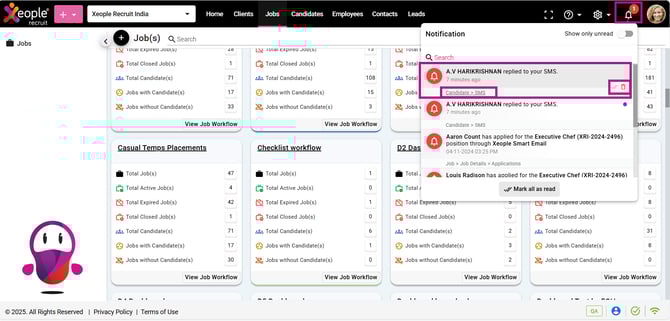
Bell Button - SMS Notification

Candidate Reply - Email Notification
3. Master Data - Default Master
The default active master now appears at the top, making the Application Form selection quicker and easier. Inactive masters are greyed out, and their toggles cannot be enabled.
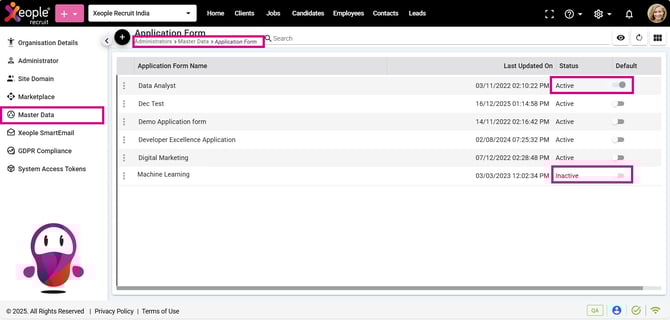
Profile Picture - Administrator - Job - Application Form
4. Across Application - Removed Non- functional Fields
5. Email Template - HTML Editor
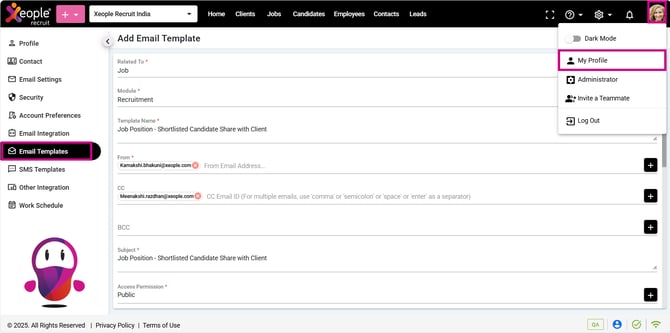
Profile Picture - My Profile - Email Template
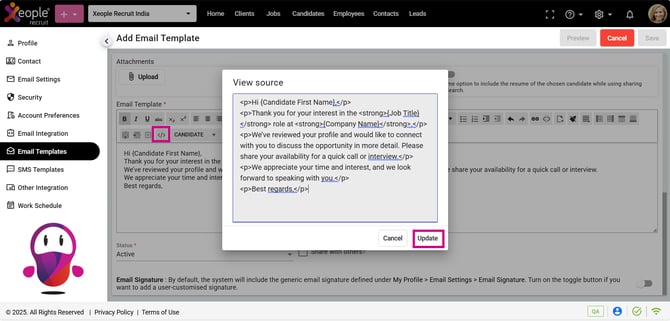
Email Template Description - </> - HTML Editor