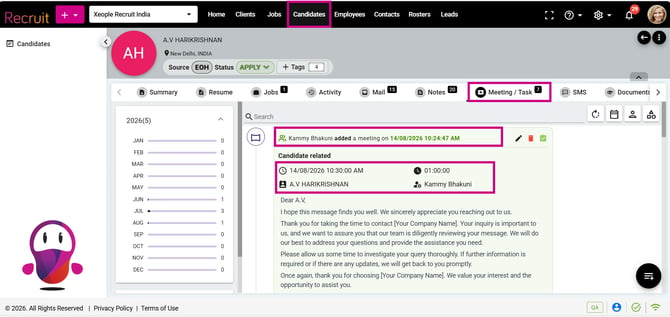

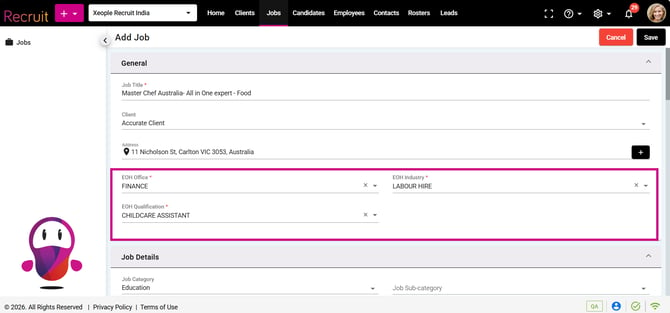
In this release, we have enhanced the XR to EOH Auto Push functionality by adding Office, Industry, and Qualification fields to the Create Job form, ensuring candidates are automatically pushed to EOH with the selected values when they apply for a job. We have also improved the meeting/task log layout to provide clearer visibility of created, updated, and scheduled meeting details.
Additionally, we have resolved several issues across the application to improve candidate management, data synchronisation, and overall user experience. These fixes include correcting incorrect candidate names displayed in browser tabs, improving the positioning of the Proximity column, and ensuring Client Name updates from EOH are correctly synced to XR.
Content
Enhancement
1. Auto Push Candidate - XR to EOH
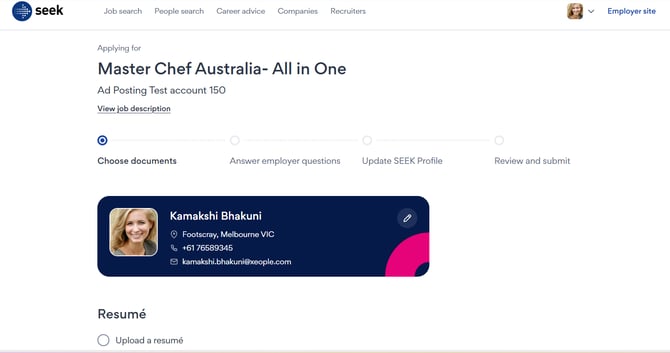
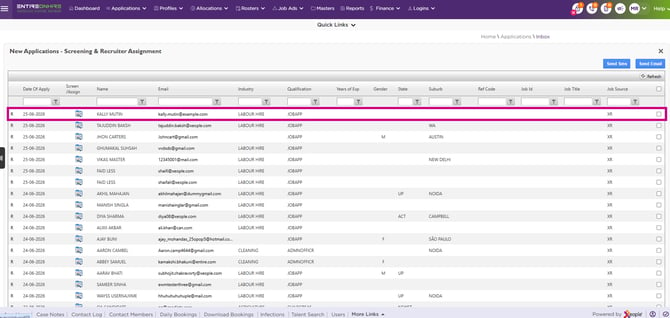
Enhanced the Auto Push functionality by adding the Office, Industry, and Qualification fields to the General section of the Create Job form. When candidates apply for a job in XR, they are automatically pushed to the Entire OnHire (EOH) application with the selected Office, Industry, and Qualification values. If a candidate is associated with multiple jobs that have different values, the default Office, Industry, and Qualification configured in the EOH application are used.
2. Across Application - Meeting Created
Enhanced the meeting/task log to clearly distinguish between record creation and scheduled meeting details. The activity header now displays the Created/Last Updated timestamp, while the clock icon shows the Scheduled (Booked) Date & Time. The layout has also been streamlined by displaying Booked Time and Duration side by side, moving Organiser details down to the Attendees section, hiding non-functional fields, and presenting the Created By details in a single-line format for a cleaner, more intuitive user experience.