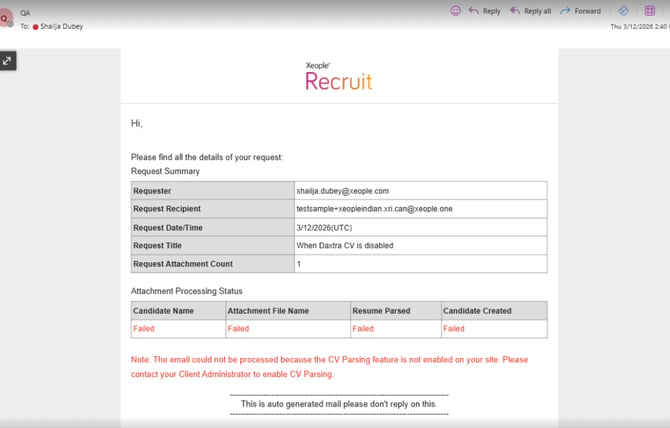
This release improves the Master Data page with a single page-level scroll for a cleaner experience. SEEK job controls have been updated to restrict re-publishing within the remaining days of the 30-day posting limit and automatically disable the “Edit & Publish Job on Seek” button once the listing expires. Xeople SmartEmail responses now include a consistent “Hi,” greeting with clearer failure messaging. Additionally, issues have been resolved where updates to the Application Form “Thank You” page were not reflecting on the live page, the Operation Failed error pop-up appeared when moving candidates between stages, and jobs were not visible under the Client Profile.
Content
📈Enhancements
- Administrator - Master Data
- Job Posting - Seek - Edit and Publish Job
- Seek - Re-Publish - Calendar Date Restriction
- Xeople SmartEmail - Reason for Failure
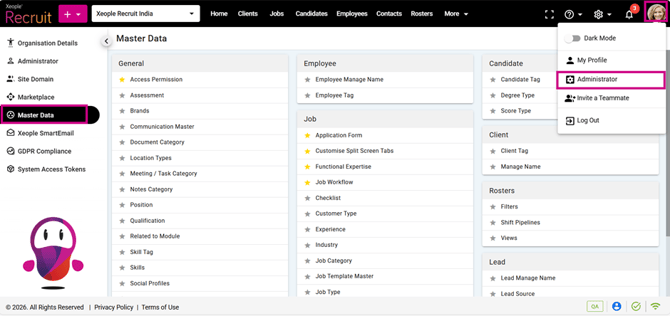
1. Administrator - Master Data
Improved the Master Data page by removing internal section scroll bars and introducing a single page-level scroll for a cleaner and smoother user experience.
2. Job Posting - Seek - Edit and Publish Job
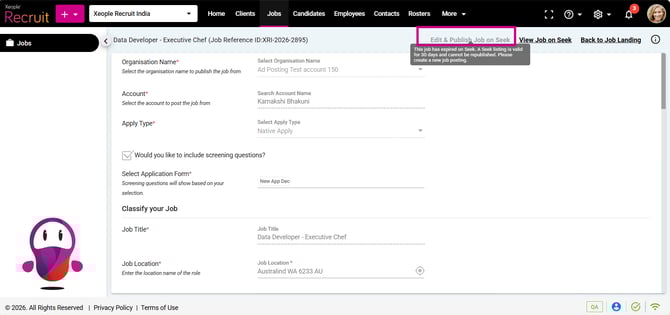
Disabled the “Edit & Publish Job on Seek” button once the Seek listing expires (30 days from the initial job posting date).
3. Seek - Re-Publish - Calendar Date Restriction
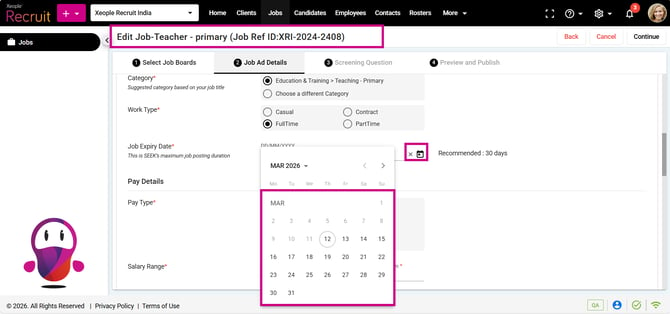
Re-publish a job only within the remaining days of the 30-day limit from the initial publish date, with the calendar showing only the allowed dates.
4. Xeople SmartEmail - Reason for Failure
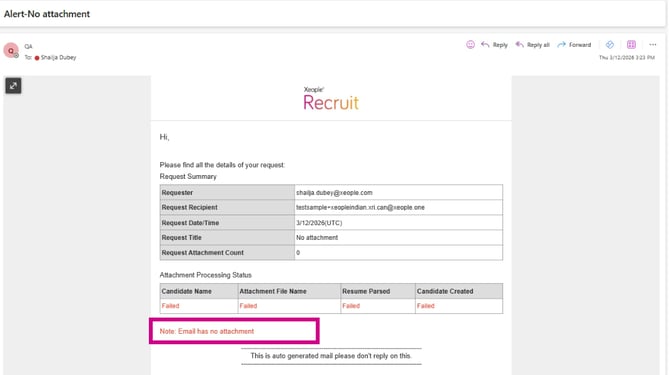
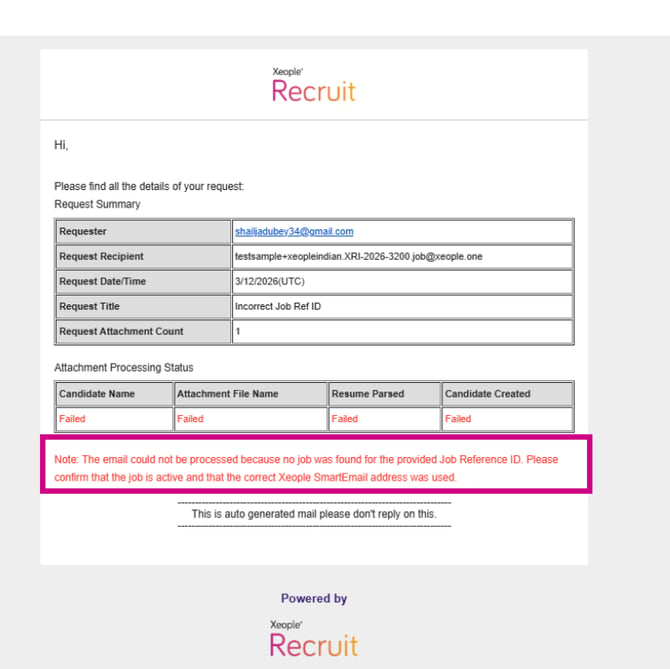
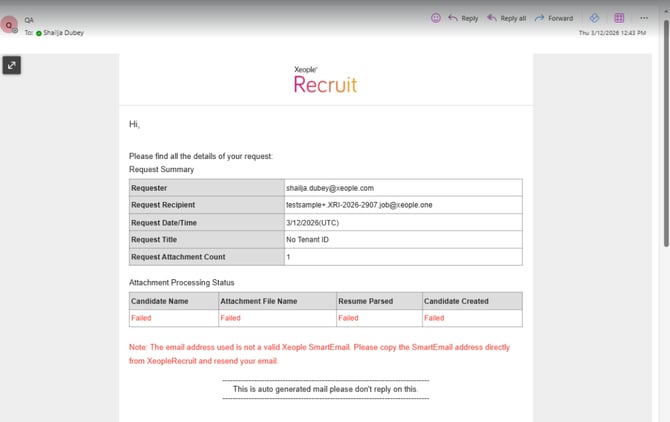
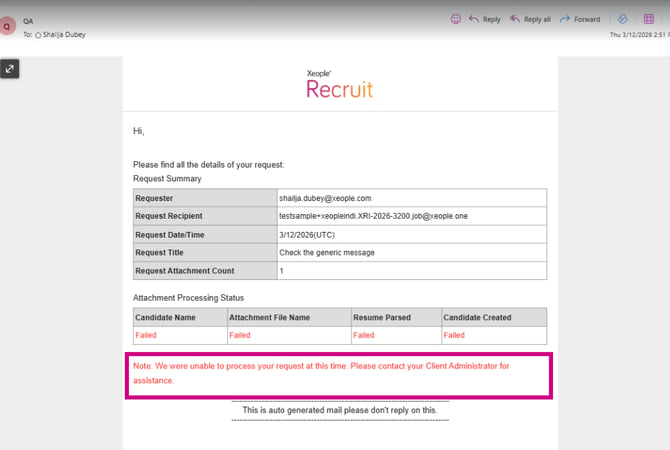
Updated Xeople SmartEmail responses to include a consistent “Hi,” greeting and clear failure messaging.
The following error messages provide clearer guidance for the respective failure scenarios:
Case 1: Organisation Name or Job Reference ID Not Available Message: The email could not be processed because the Job Reference ID in the email address is invalid or does not exist. Please verify that you have copied the correct Xeople SmartEmail and try again.
Case 2: Incorrect Email Address UsedMessage: The email address used is not a valid Xeople SmartEmail. Please copy the SmartEmail address directly from Xeople Recruit and resend your email.
Case 3: Organisation Details Not Found for the Job Reference ID Message: The email could not be processed because the organisation linked to the provided Job Reference ID could not be found. Please verify the Job Reference ID or contact your Client Administrator.
Case 4: Job Details Not Found for the Job Reference ID Message: The email could not be processed because no job was found for the provided Job Reference ID. Please confirm that the job is active and that the correct Xeople SmartEmail address was used.
Case 5: CV Parsing Not Enabled Message:The email could not be processed because the CV Parsing feature is not enabled on your site. Please contact your Client Administrator to enable CV Parsing.
Case 6: Generic Error Message:We were unable to process your request at this time. Please contact your Client Administrator for assistance.