
This release includes several enhancements to the Candidates module to improve data consistency, usability, and search capabilities. Candidate management has been enhanced with mandatory Source selection, the ability to edit Candidate Source directly from the Candidate Summary, and improved Qualification/Role visibility and filtering on the Candidate Landing Page. We have also resolved issues affecting qualification-based candidate searches, Candidate Mail loading, State filtering on the Client Landing Page and Calll Log From field, resulting in a smoother and more reliable user experience.
Enhancements
1. Candidates - Add Candidate
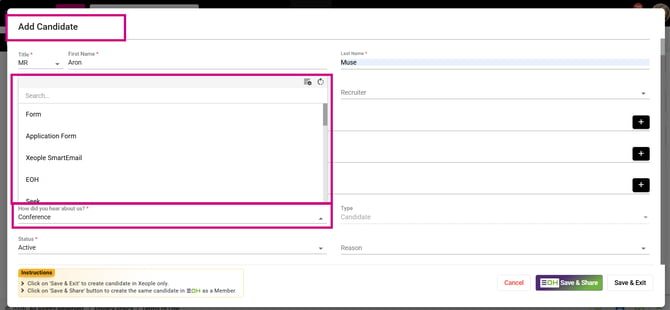
Enhanced the Add Candidate logic to include a mandatory, single-select 'How did you hear about us?' Source drop-down field. Its values come from the Candidate Source Master and include both admin-defined and manually added sources. If no source is selected, the form displays a Source is required validation message and prevents submission. Once the candidate is saved, the selected Source is displayed on the Candidate Summary page. Sources already in use cannot be deleted.
2. Candidate Summary - Edit Candidate Source
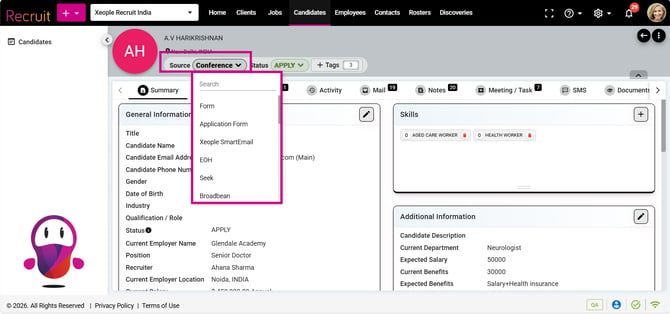
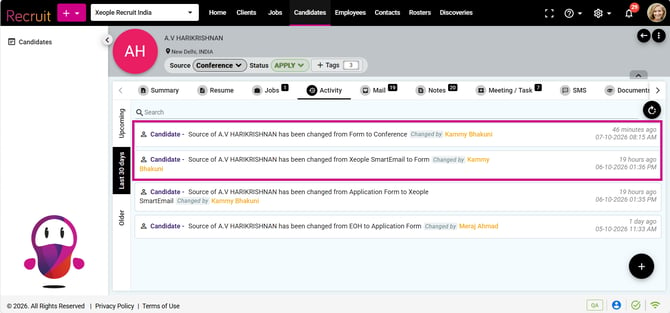
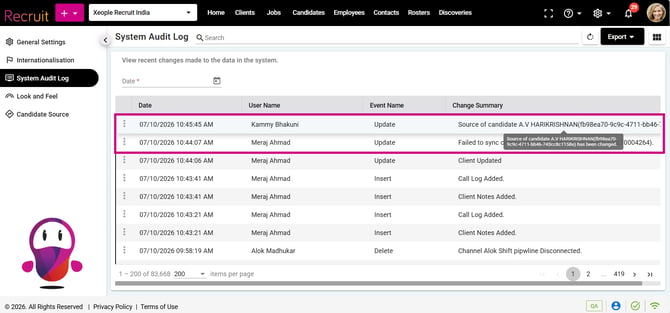
Enhanced the Source field logic to allow the Candidate Source to be updated directly from the Candidate Summary header. The Source field drop-down uses the predefined options from the Candidate Source Master, and any updated value is saved against the candidate record. The Source remains a mandatory field and cannot be blank when editing. Any change to the Source also creates a corresponding Activity and Audit Log entry.
3. Candidate Landing Page - Qualification/Role
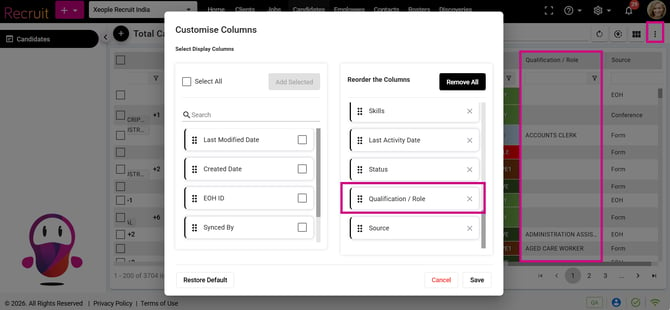
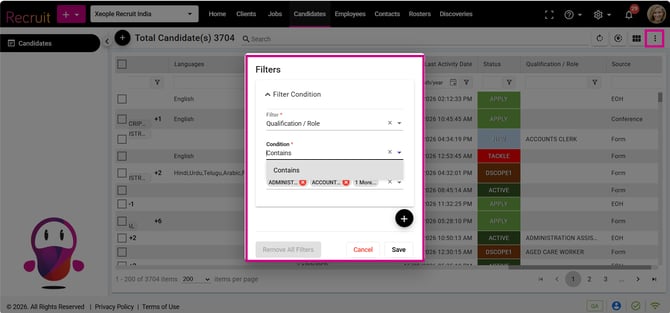
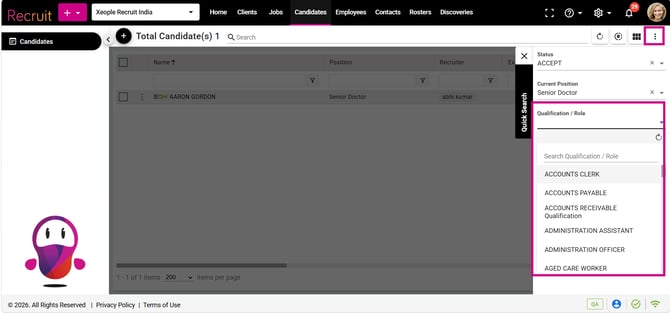
Enhanced the Candidate Landing Page by adding Qualification/Role as a default column, which users can add or remove under Customisable Columns. Qualification/Role is also available in Quick Search and Filters with a Contains condition, with values populated from the Qualification/Role Master. Applied Quick Filters are now displayed on the landing page with a Reset/Clear (×) option for easy removal.