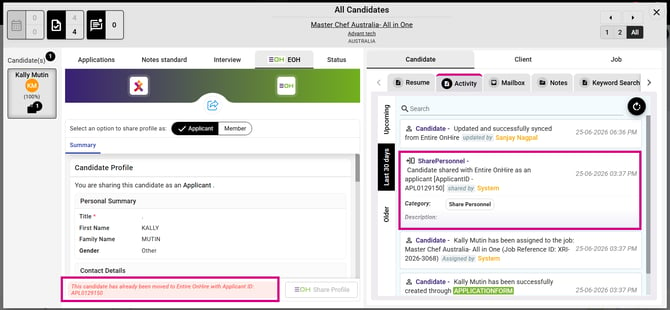
In this release, we have enhanced the Push Candidate as Applicant from XR to EOH feature. Candidates mapped to a job through supported channels will now be automatically pushed to EOH when the required candidate information is available (First Name, Last Name, Email and Resume), ensuring a more seamless and consistent integration.
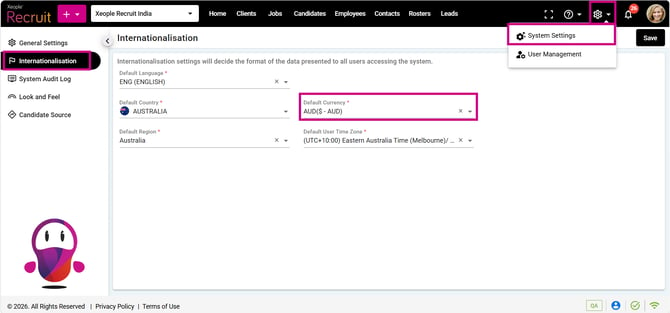
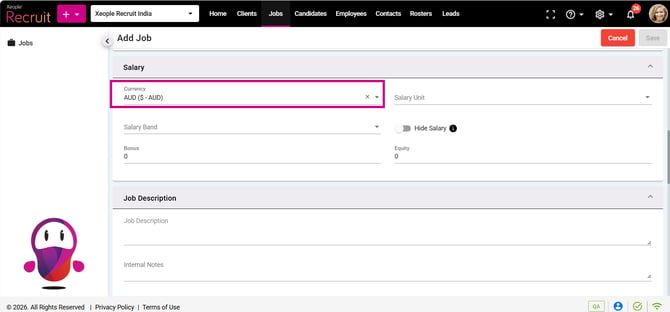
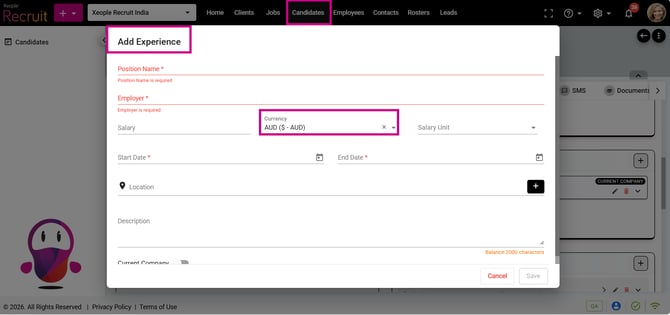
We have also improved application-wide consistency by automatically defaulting the Currency field to the value configured under System Settings → Internationalisation, while continuing to allow users to change it when required.
Additionally, we have resolved several issues across the application to improve security, performance, data consistency, and overall user experience. These fixes include improvements to user role permissions, candidate assignment, phone number formatting, Audit Log performance, applicant profile validation, interview scheduling with EOH, lead workflow behaviour across organisations, and Candidate Name placeholder replacement in emails.
Content
Enhancements
-
Job Summary - Candidate Mapped to Job - Auto Push from XR to EOH
-
Across Application - System Settings - Internationalisation - Default Currency
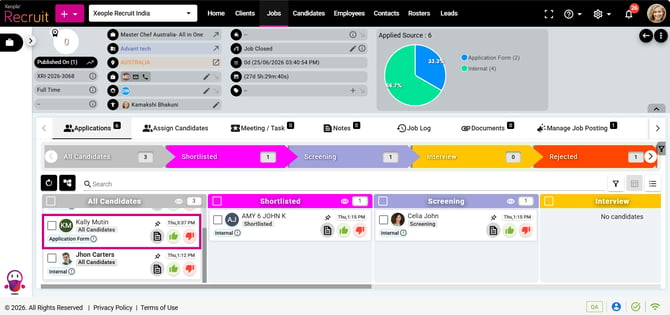
1. Job Summary - Candidate Mapped to Job - Auto Push from XR to EOH
Improved the candidate push logic to EOH. Candidates who apply for a job and are mapped to that job through any channel including manual assignment to a job, Job Apply Page Links (Application Forms), Job-Specific Xeople Smart Emails, SEEK Native Apply (with or without screening questions), SEEK Linkout, or Apply with SEEK—will now be automatically pushed to EOH, provided the required fields (First Name, Last Name, Email Address, and Resume) are available. Rejected candidates (i.e., candidates whose responses to knockout/screening questions do not meet the required criteria) will not be automatically shared with EOH.
2. Across Application - System Settings - Internationalisation - Default Currency
The Currency field will automatically default to the currency configured under System Settings → Internationalisation across the application. Users can manually change the currency if required.