
Weightage is the value assigned to a parameter to indicate its relative importance compared to others.
Purpose of Weightage
Weightage is used to:
- Prioritise criteria
- Standardise evaluation
- Support scoring and ranking
- Enable data-driven decisions
To navigate to the Weightage Master, follow the steps below:
- Click on the Profile picture and select Administrator from the drop-down menu.
- Click on Master Data from the left navigation panel and select Weightage under General.
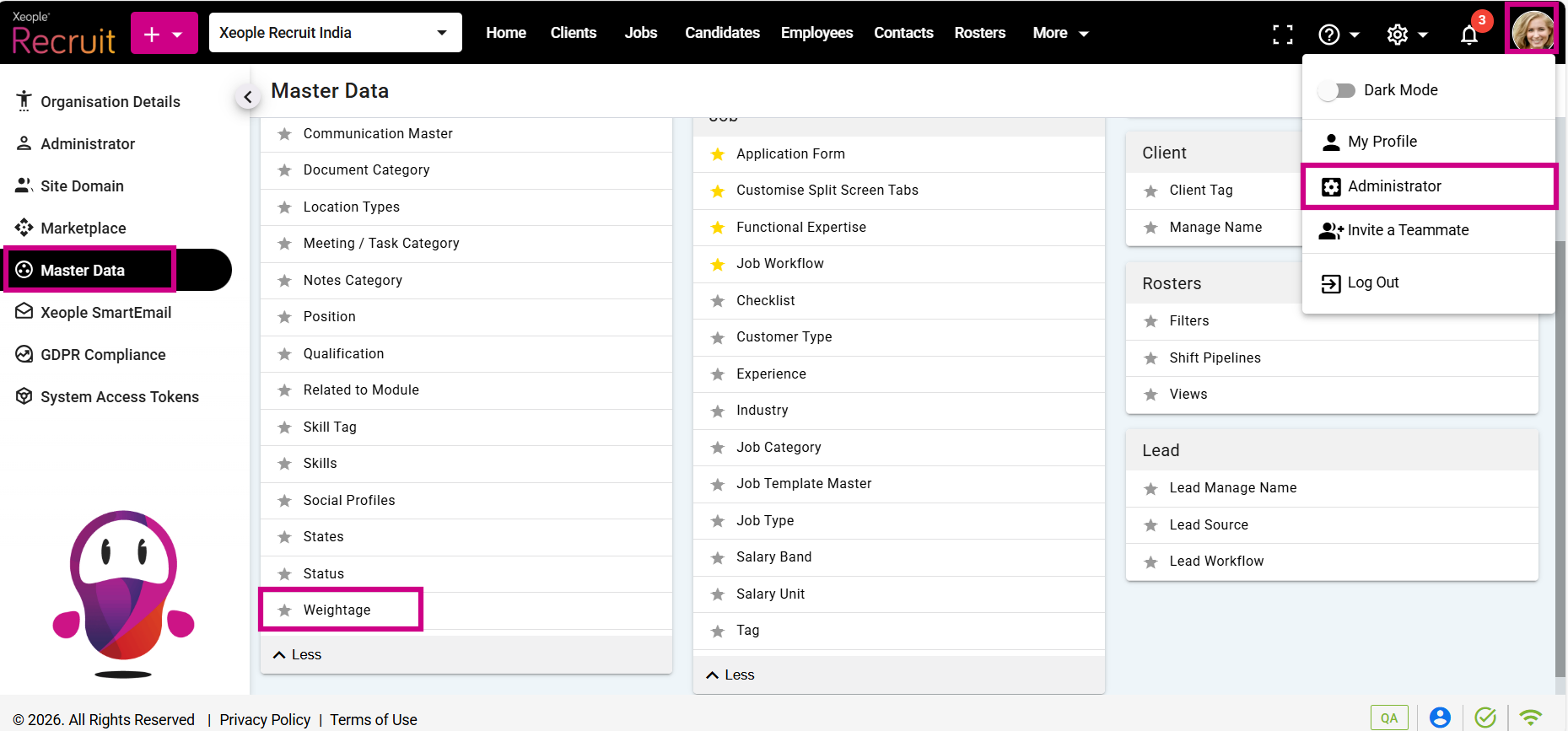
Profile Picture – Administrator – Master Data – Weightage
- Click on the (+) add button on the top left.
- Enter the required fields and click Save.
Display Sequence: Specifies the sequence in which weightage values appear in lists and views.
- Click on the three-dot button placed in front of each weightage to edit or delete it.
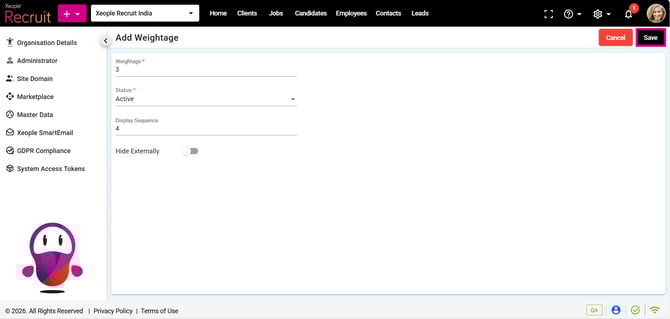
Add Weightage – Save
- You can assign the newly created weightage while configuring the Document Name Master. This weightage applies to documents added across all modules, including Clients, Jobs, Candidates, Employees, and Leads.
Recommend Reading: How document category is configured, click here: Document Category.
- When you select a document name while adding a document, the weightage is automatically populated in the Weightage field. To view it, scroll down and select Show more fields.
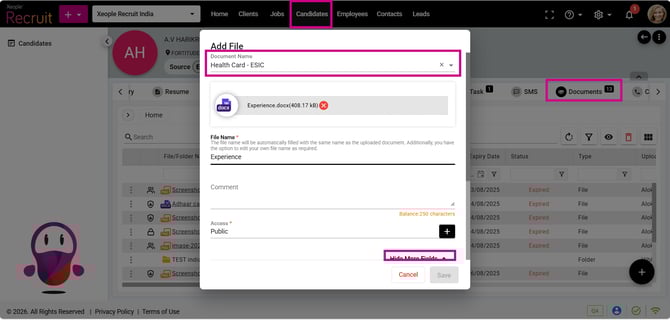
Candidate - Document Section – Document Name – Weightage