
User Type defines the category assigned to a user based on their role within the system. It helps classify users and determine how they interact with system features and modules.
Although the system supports multiple user types such as Employee, Client, and Supplier, currently the Employee user type is actively used.
To navigate to the User Type, follow the steps below:
- Navigate to the main header bar, click on the Settings drop-down menu, and select User Management.
- Click User Type to open the list of available user types. These user types are predefined and system configured; you cannot create or add new user types.
- To View/Edit the user type click on the three-dot button placed in front of each user type.
- You can edit the Code, Abbreviation, Public and Internal Name, and Icon. Click Save.
When inviting a user, this field is mandatory and the user is classified as an Employee.
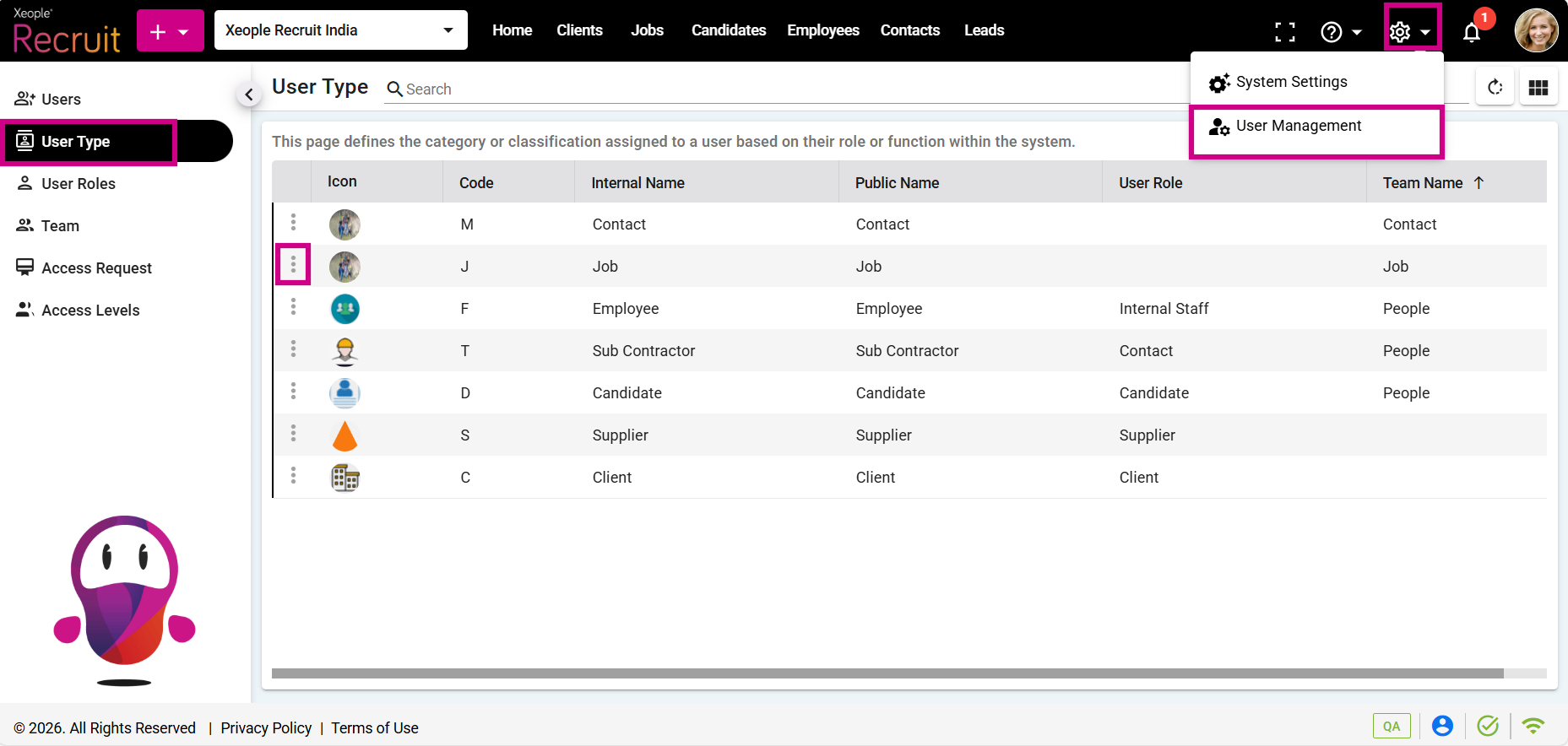
Settings - User Management – User Type