
The System Access Token is a secure authentication key used to enable system-to-system integration and API access. It allows external applications or services to securely communicate with the system without sharing user credentials.
The System Access Token helps to:
- Enable secure API and system integrations.
- Authenticate external applications.
- Enhance security by avoiding direct username/password usage.
- Support automation and data exchange.
To navigate to the System Access Token screen, follow the steps below:
- Click on the Profile picture and select Administrator from the drop-down menu.
- Select System Access Token from the left navigation panel.
- Click on + Generate a Token.
System Access Token – Fields and Description
|
Field Name |
Description |
Example |
|
Token Name |
A user-defined name to identify the access token and its purpose. |
HR_API_Token, Payroll_Integration, Reporting_Service |
|
Expiry Date |
The date until which the token remains valid. After this date, the token will automatically expire and cannot be used. |
31/12/2026 |
|
Available Services |
A list of system services or modules that the token can access. Administrators can select one or multiple services using checkboxes. |
Candidate API, Employee API, Job API, Client API, Contact API, Master List |
|
Generate Button |
Creates a unique system-generated access token based on the selected details and permissions. |
Generates a secure token key |
- Use the Search filter to quickly find the required service.
You can generate a maximum of 25 tokens.
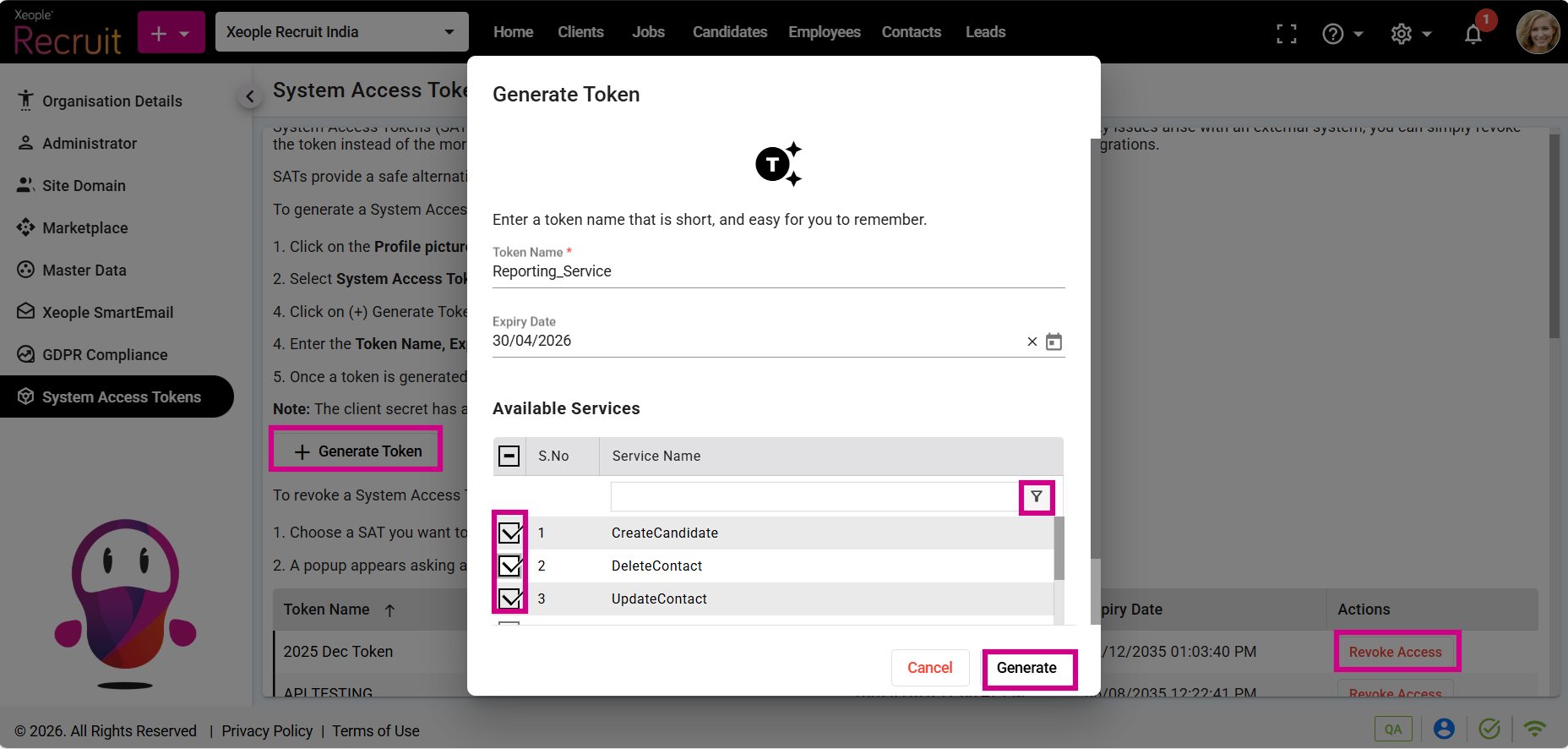
Profile Picture – Administrator – System Access Token – Generate
- After generating the token, remember to keep a secure copy of the client ID and client secret.
- You will receive an email at your registered email address.
Administrators can monitor, manage, and control system access tokens.
To Revoke the generated token:
- Select any generated token.
- Click Revoke Access to disable the selected token and prevent unauthorised access.
All active integrations using this client ID and client secret are now inactive.
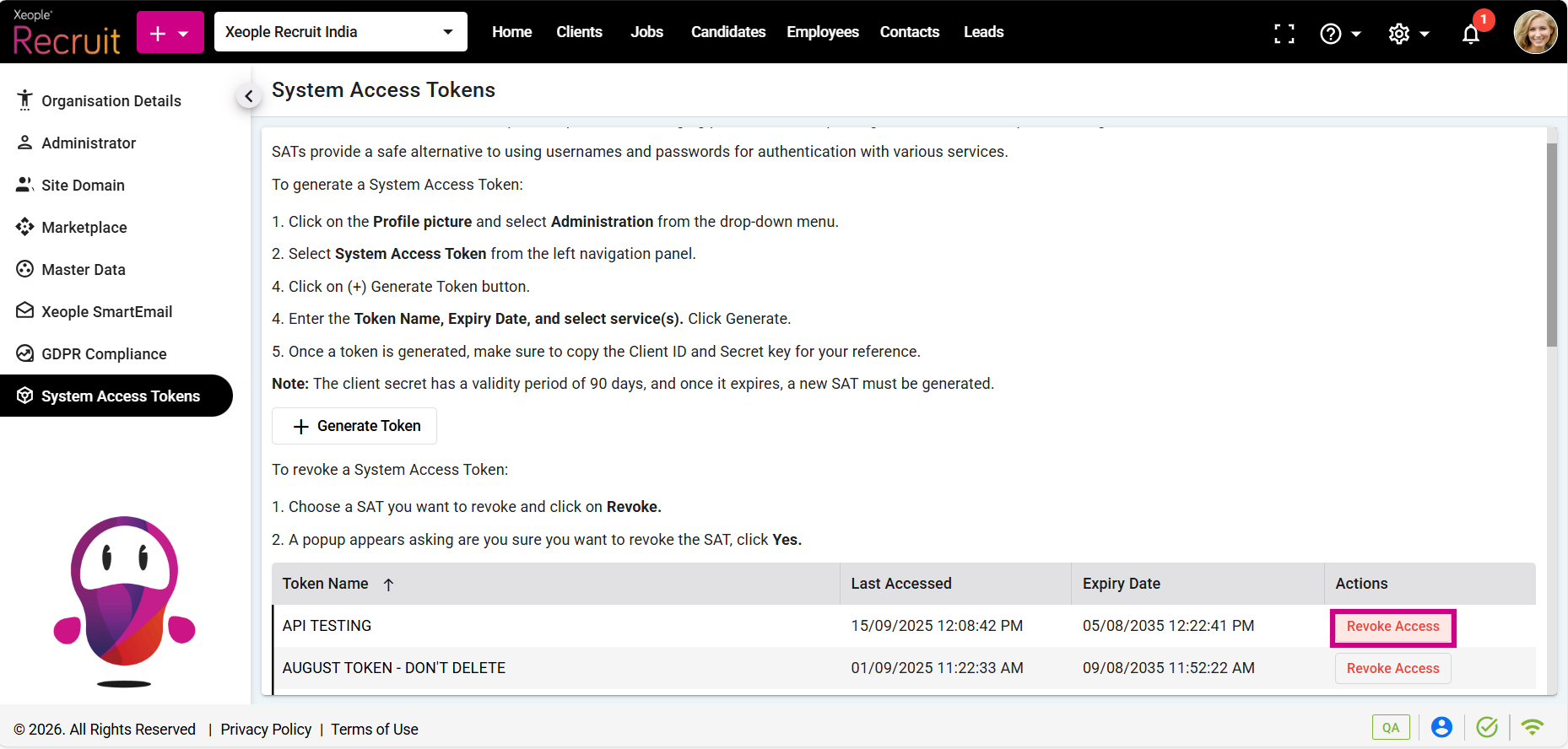
Generated Token – Revoke Access