
The States Master manages a standardised list of states for address selection across modules, ensuring consistency, accuracy, and better data management.
States Examples
|
Code |
State / Territory Name |
Country |
|
NSW |
New South Wales |
Australia |
|
VIC |
Victoria |
Australia |
|
QLD |
Queensland |
Australia |
|
WA |
Western Australia |
Australia |
|
SA |
South Australia |
Australia |
|
TAS |
Tasmania |
Australia |
|
ACT |
Australian Capital Territory |
Australia |
|
NT |
Northern Territory |
Australia |
To navigate to the States Master, follow the steps below:
- Click on the Profile picture and select Administrator from the drop-down menu.
- Click on Master Data from the left navigation panel and select States under General.
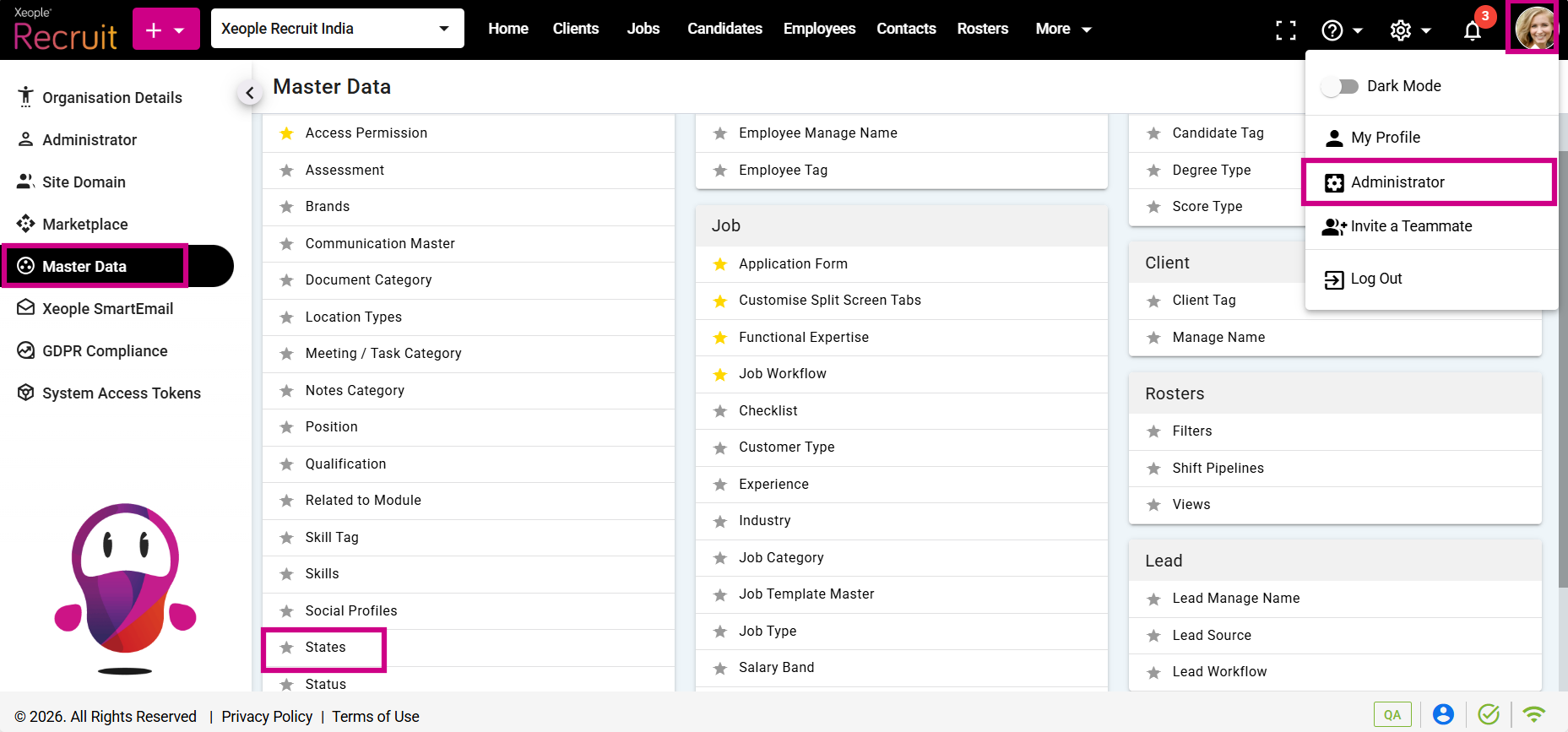
Profile Picture – Administrator – Master Data – States
- Click on the (+) add button on the top left.
- Enter the required fields and click Save.
- Click on the three-dot button placed in front of each state to edit or delete it.
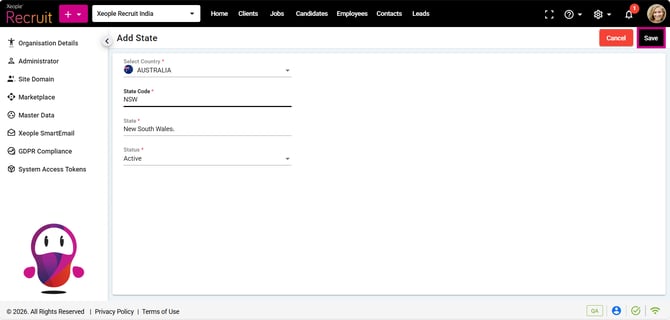
Add State – Save
- You can select the newly created state from the State drop-down in the address field when creating a client, candidate, job, employee, contact, or lead.
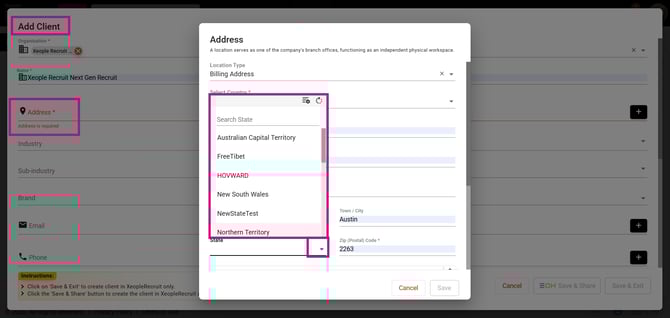
Add Client – Address – State