
Salary Unit defines how a salary or a pay rate is measured for a job. It tells candidates and recruiters whether the pay is calculated per hour, per day, per week, per year, or using another unit.
Why Salary Unit Matters
- Clearly communicate pay expectations to candidates.
- Ensure accurate job postings and offers.
- Compare roles fairly across different pay structures.
- Generate clean payroll and billing reports.
- Stay aligned with Australian employment practices.
Common Salary Units
- Hourly – Common for casual and shift-based roles.
- Daily – Used for contract or short-term assignments.
- Weekly – Often used in labour hire and temp roles.
- Fortnightly – Aligned with common Australian pay cycles.
- Monthly – Used in some salaried or contract roles.
- Annual – Standard for permanent full-time roles.
To navigate to the Salary Unit Master, follow the steps below:
- Click on the Profile picture and select Administrator from the drop-down menu.
- Click on Master Data from the left navigation panel and select Salary Unit under Job.
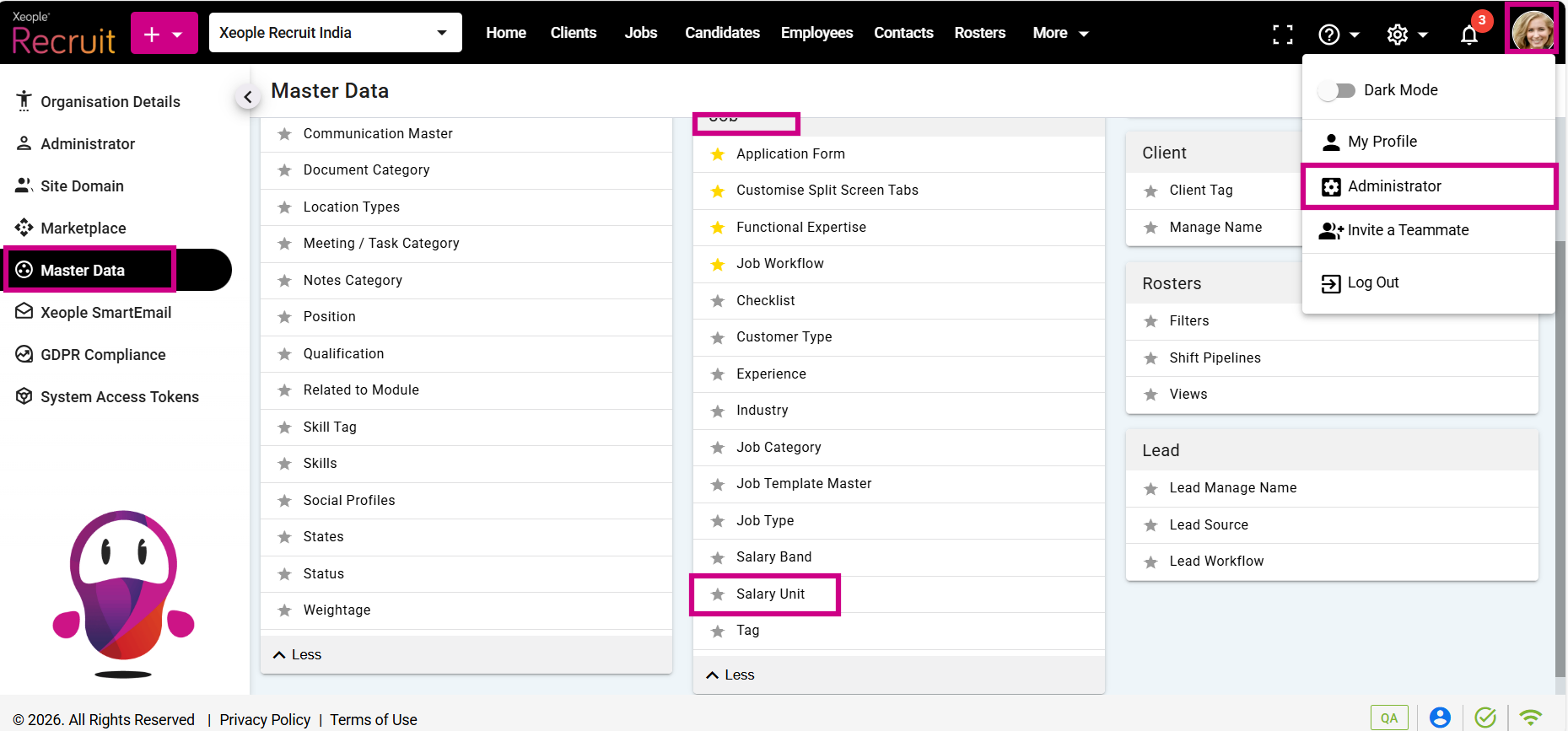
Profile Picture – Administrator – Master Data – Salary Unit
- Click on the (+) add button on the top left.
- Enter the required fields and click Save.
- Click on the three-dot button placed in front of each salary unit to edit or delete it.
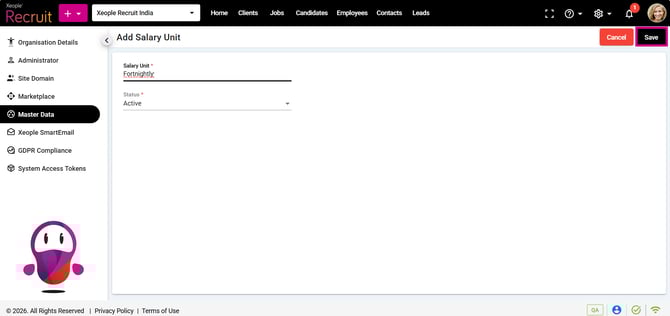
Add Salary Unit – Save
- You can select the newly created Salary Unit from the Salary Unit drop-down when creating a job.
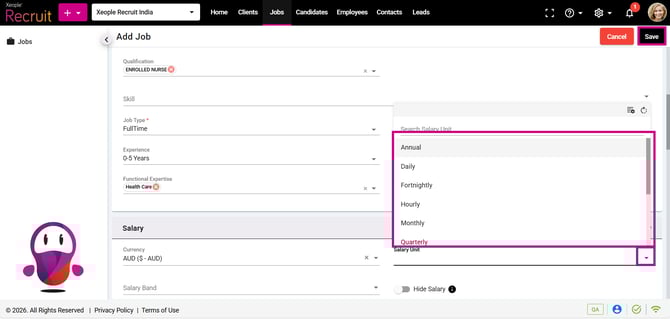
Add a Job – Salary Unit