
The Other Integrations section is designed to configure third-party applications on a per-user basis within a team. This allows each team member to enable and manage integrations according to their individual requirements while working within the same team.
This section serves as a configurable space where integrations can be enabled as they become available in the system.
To navigate to the Other Integration page, follow the steps below:
- Click on the Profile picture and select My Profile from the drop-down menu.
- Click on Other Integration from the left navigation panel.
- Click on Enable to enable the team’s integration.
Recommend Reading: How Microsoft Teams is configured, click here: Microsoft Teams Meeting.
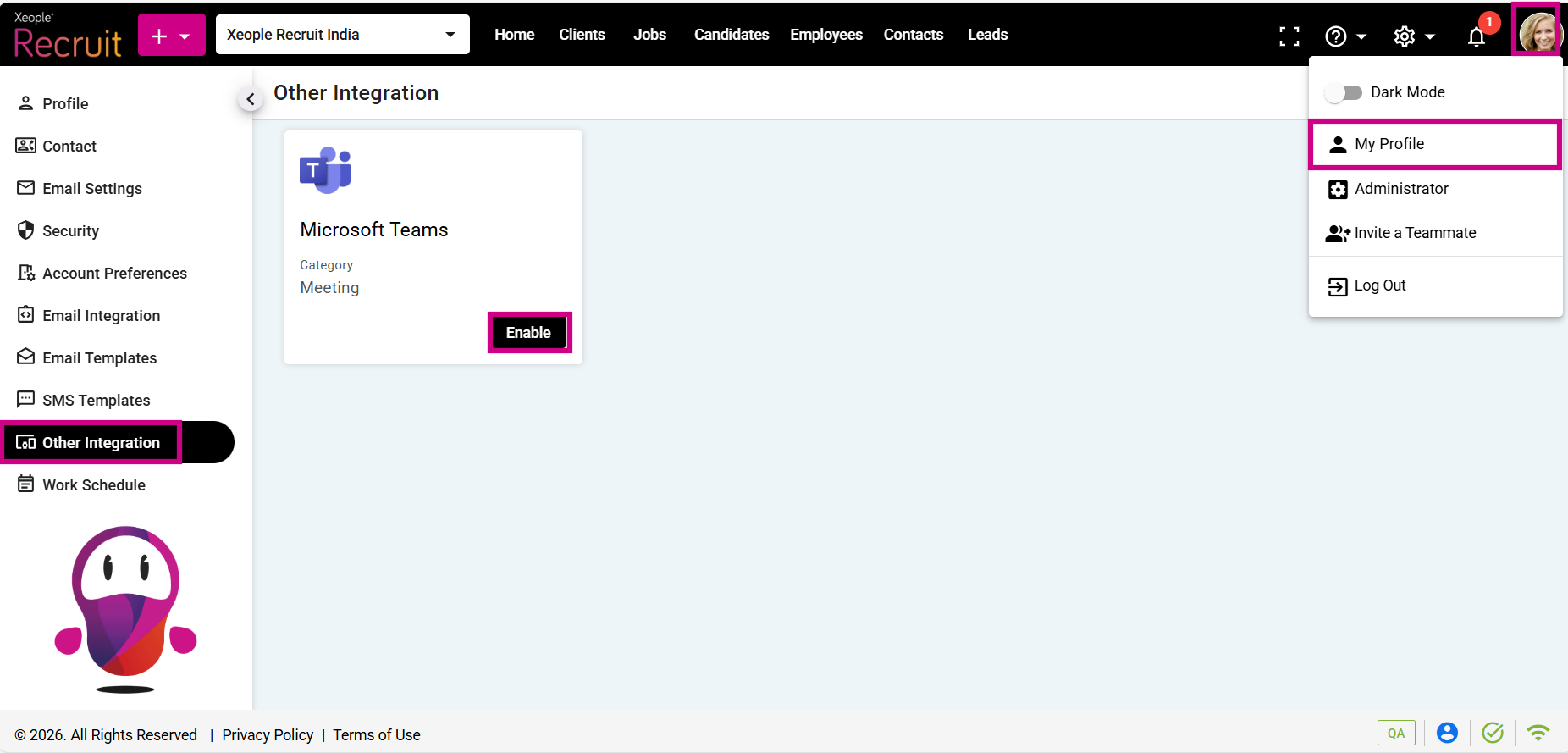
My Profile – Other Integration – Teams – Enable