
The Location Type Master standardises address categories and enables consistent selection of location types across the client and lead modules, improving data organisation, accuracy, and usability.
Examples of Location Types
|
Location Type |
Description |
|
Billing Address |
Address used for billing and invoicing. |
|
Current Address |
Current residential or working address. |
|
Headquarters |
Main office or central corporate location. |
|
Registered Office |
Official registered business address. |
|
Branch Office |
Address of a branch or regional office. |
|
Corporate Office |
Corporate or administrative office address. |
|
Permanent Address |
Permanent residential address. |
|
Warehouse Location |
Address of a warehouse or storage facility. |
|
Project Site |
Location of a project or operational site. |
|
Client Site |
Address of a client’s workplace or site. |
Benefits
- Standardises address classification across the system
- Ensures consistent and accurate address selection
- Improves data organisation and management
To navigate to the Location Type Master, follow the steps below:
- Click on the Profile picture and select Administrator from the drop-down menu.
- Click on Master Data from the left navigation panel and select Location Types under General.
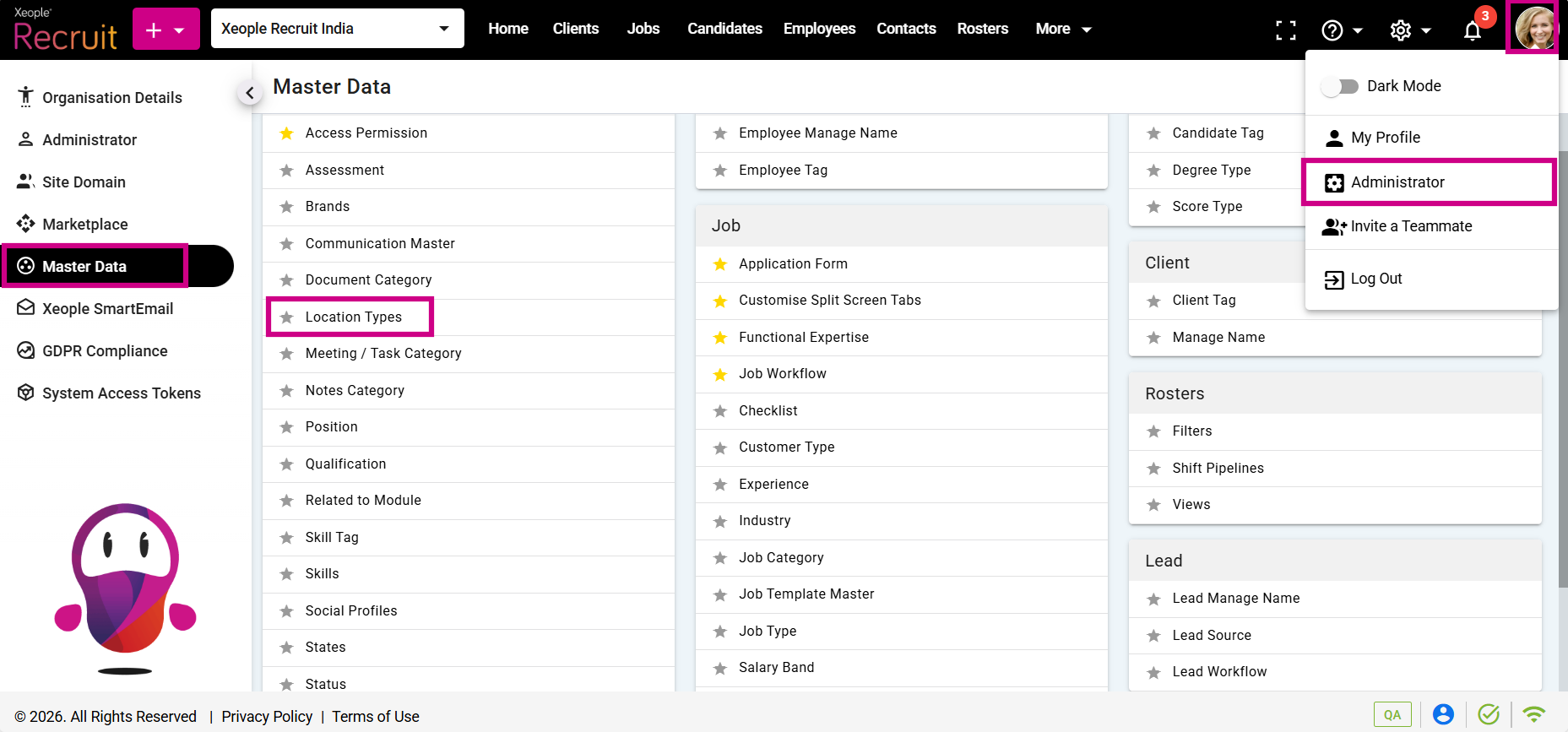
Profile Picture – Administrator – Master Data – Location Type
- Click on the (+) add button on the top left.
- Enter the required fields and click Save.
- Click on the three-dot button placed in front of each location type to edit or delete it.
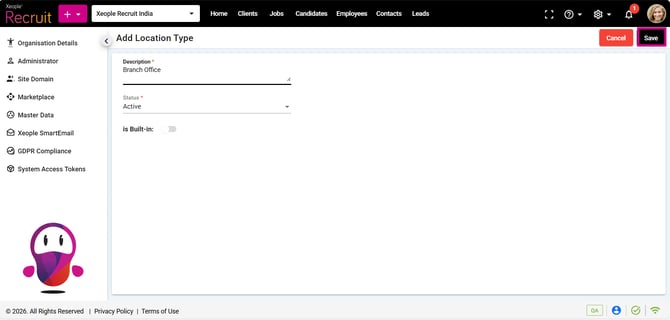
Add Location Type – Save
- You can select the newly created Location Type from the Location Type drop-down when creating a client or a lead.
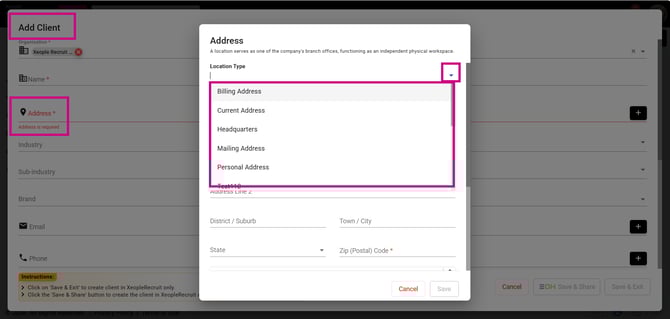
Add Client – Location Type