
Job Type defines the nature and duration of employment for a role. It helps classify jobs based on how long the work lasts and the type of engagement offered to the candidate.
Why Job Type Is Important
- Clearly communicate employment terms to candidates
- Filter and search jobs more easily
- Improve candidate matching and job recommendations
- Support accurate reporting and compliance
Common Job Types
|
Job Type |
Description |
|
Permanent |
Ongoing role with no fixed end date (Full-time or Part-time). |
|
Contract |
Fixed-term role for a defined period (e.g. 6 or 12 months). |
|
Casual |
Irregular or flexible hours with no guaranteed work. |
|
Temporary |
Short-term role to cover leave, peak demand, or projects. |
|
Fixed-Term |
Employment for a specific duration with a clear end date. |
|
Apprenticeship / Traineeship |
Role that combines work with structured training. |
To navigate to the Job Type Master, follow the steps below:
- Click on the Profile picture and select Administrator from the drop-down menu.
- Click on Master Data from the left navigation panel and select Job Type under Job.
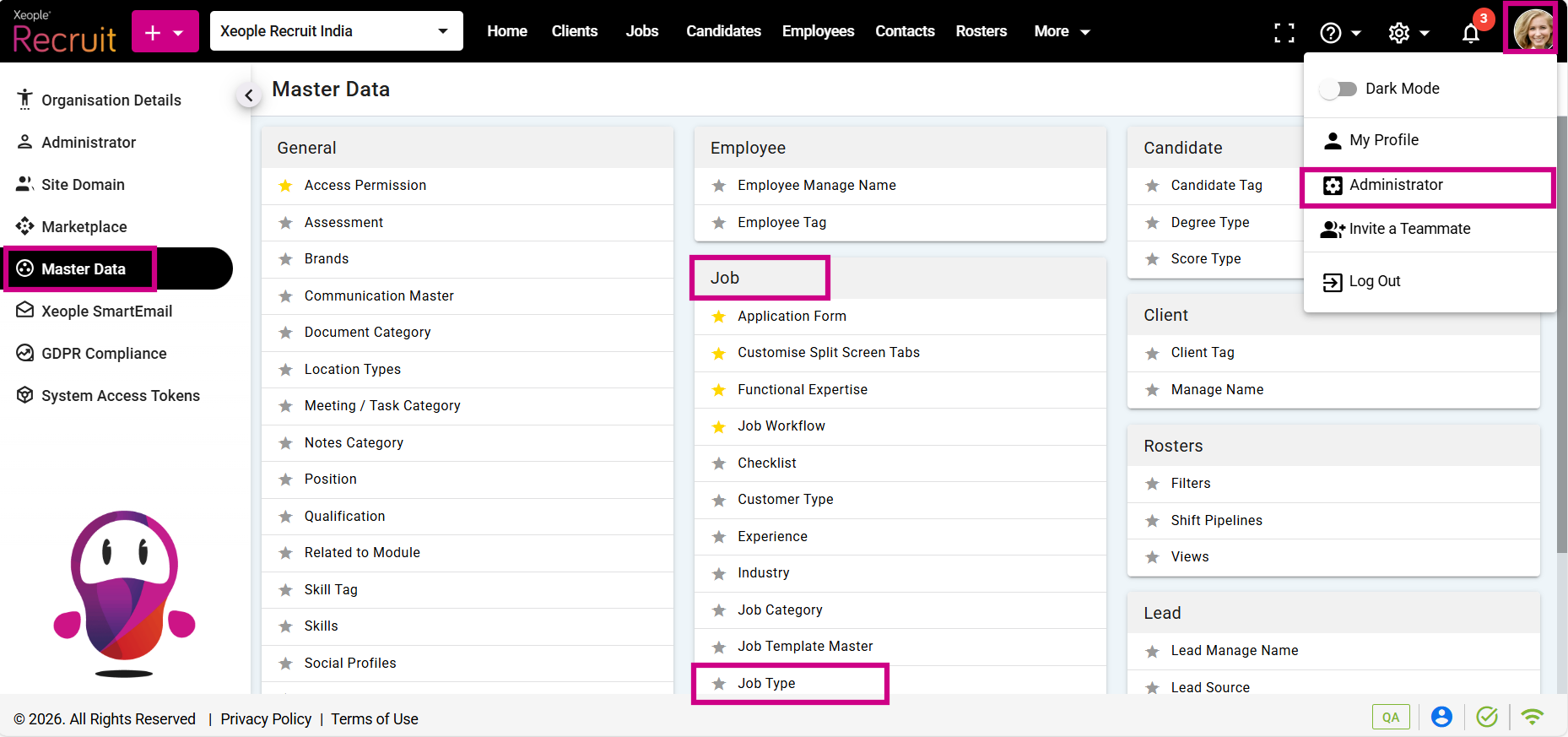
Profile Picture – Administrator – Master Data – Job Type
- Click on the (+) add button on the top left.
- Enter the required fields and click Save.
- Click on the three-dot button placed in front of each job type to edit or delete it.
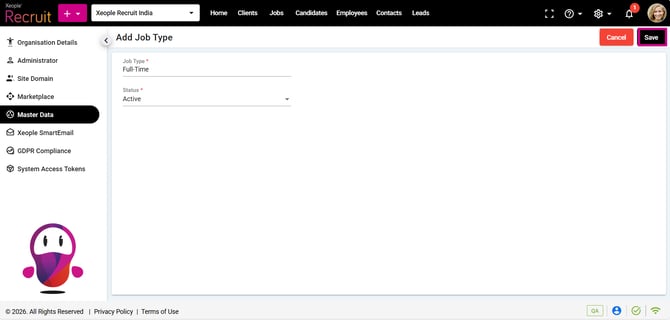
Add Job Type – Save
- You can select the newly created Job Type from the Job Type drop-down when creating a job.
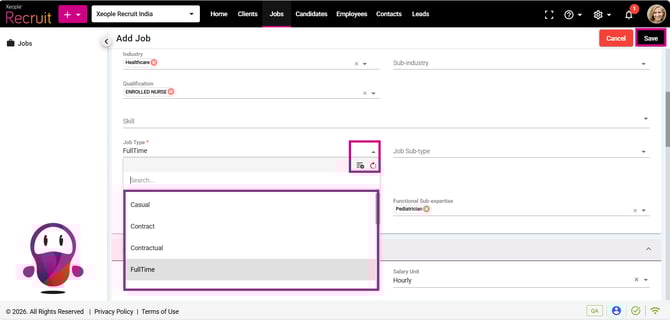
Add a Job – Job Type