
Experience defines the level of practical work exposure a candidate must have to be suitable for a role.
Why Experience Matters
- Match candidates to roles more accurately.
- Reduce shortlisting time.
- Set realistic expectations for clients and candidates.
- Improve placement success rates.
- Maintain consistent job requirements across the system.
Common Experience Levels (Examples)
- Entry Level / Graduate – Little to no prior experience.
- 1–2 Years – Basic hands-on experience.
- 3–5 Years – Solid industry experience.
- 5+ Years – Senior or specialised roles.
- Managerial / Leadership – Roles requiring people or team management.
-
- Example:
-
-
- Job: Accounts Officer
- Experience Required: 2–3 Years
-
This means the role is best suited for candidates who have at least two years of relevant accounting experience and can work independently with minimal supervision.
To navigate to the Experience Master, follow the steps below:
- Click on the Profile picture and select Administrator from the drop-down menu.
- Click on Master Data from the left navigation panel and select Experience under Job.
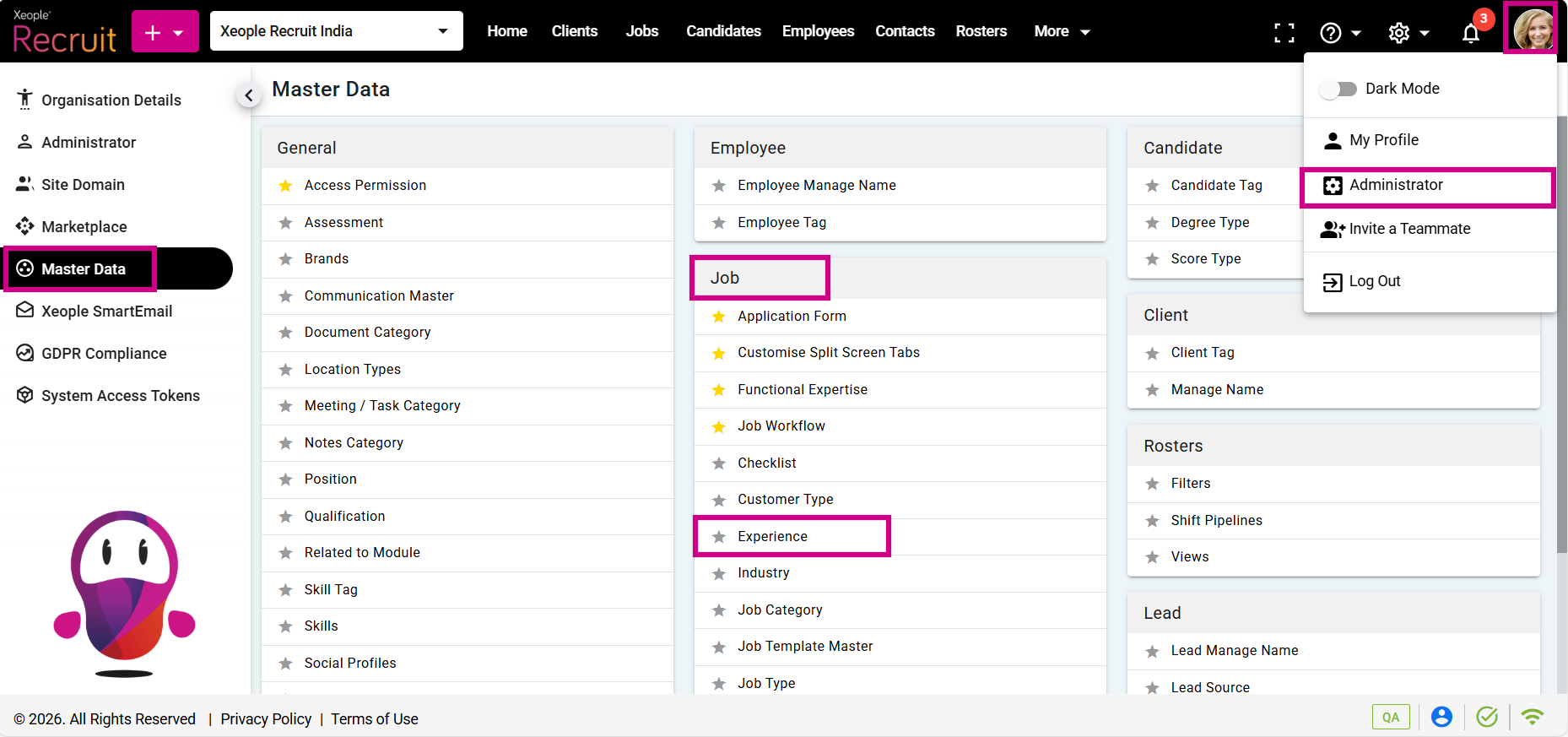
Profile Picture – Administrator – Master Data – Experience
- Click on the (+) add button on the top left.
- Enter the required fields and click Save.
Weightage indicates how important this requirement is compared to others, such as qualifications and skills.
- Click on the three-dot button placed in front of each experience to edit or delete it.
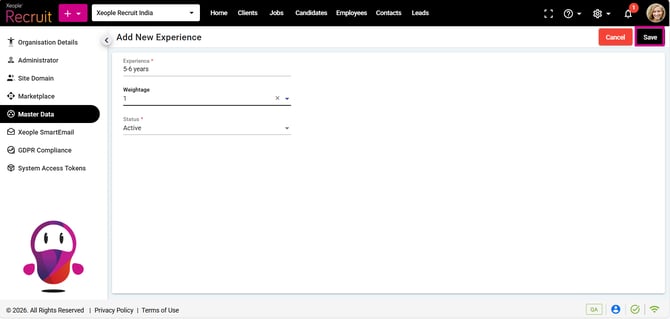
Add Experience – Save
- You can select the newly created Experience from the Experience drop-down when creating a job.
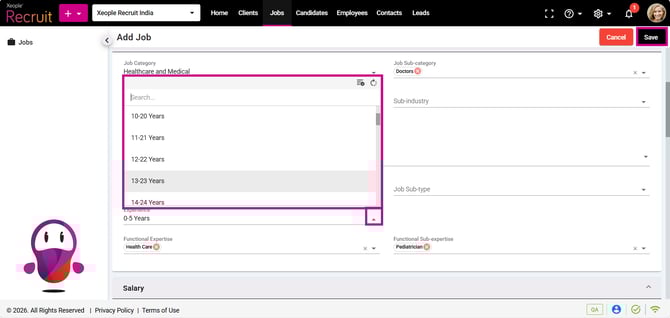
Add a Job – Experience