
The Manage Employee Name Master feature enables you to dynamically replace the default Employee name (e.g., Employee) with a selected name (e.g., Agent) across the system. This update is reflected across the Employee module header and all associated data, ensuring consistent terminology throughout the system.
To configure the Employee Name in the Master, follow the steps below:
- Click on the Profile picture and select Administrator from the drop-down menu.
- Click on Master Data from the left navigation panel.
- Under Employee, select Manage Name.
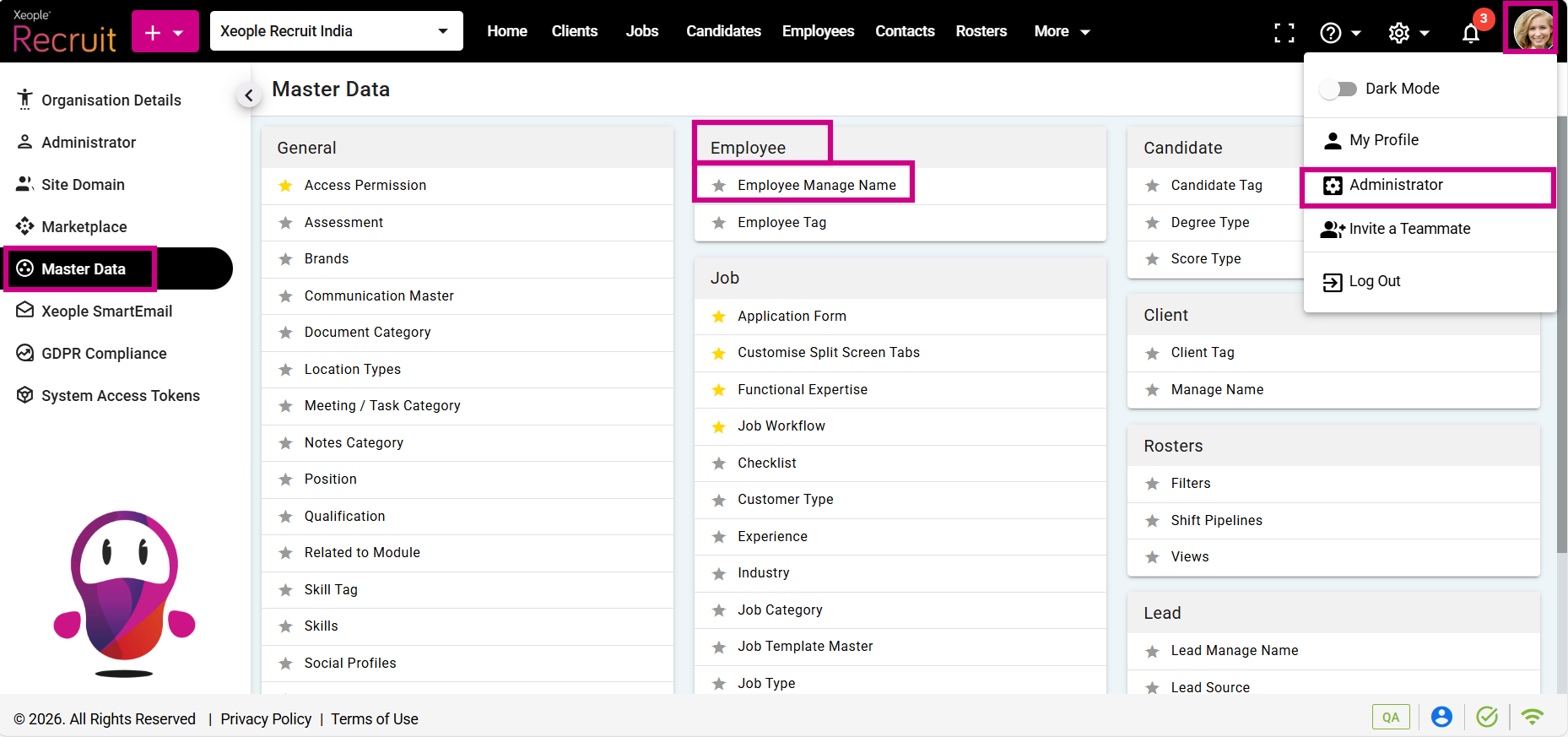
Administrator - Master Data – Employee - Manage Name
- Enable the Employee Name toggle and select a name from the drop-down.
- Click Save.
The Employee Name will be updated throughout the system as per the selection made.
- Clicking the eye icon redirects to the system audit log page.
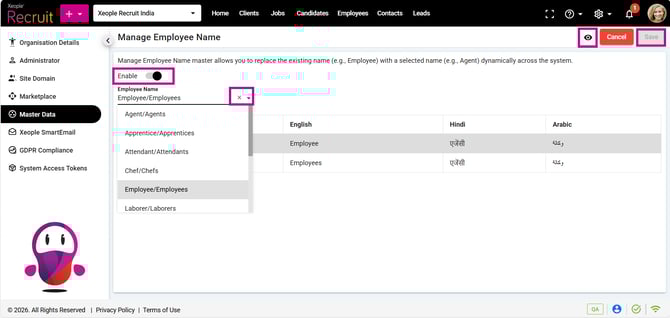
Manage Name – Save