
The Degree Type Master is used to define and manage categories of academic degrees within the system, such as undergraduate, postgraduate, diploma, and doctoral degrees. It standardises degree classification and ensures consistent selection of degree types across modules like Candidates and Employees.
By using predefined degree types, the system improves data accuracy, simplifies qualification mapping, and supports better filtering, reporting, and analysis.
Examples of Degree Types
|
Degree Type |
Description |
|
Undergraduate |
Bachelor-level degrees (e.g., BA, BSc, BTech). |
|
Postgraduate |
Master-level degrees (e.g., MA, MBA, MTech). |
|
Diploma |
Diploma and vocational qualifications. |
|
Doctorate |
Doctoral-level degrees (e.g., PhD). |
|
Certification |
Professional or technical certifications. |
To navigate to the Degree Type Master, follow the steps below:
- Click on the Profile picture and select Administrator from the drop-down menu.
- Click on Master Data from the left navigation panel and select Degree Type under Candidate.
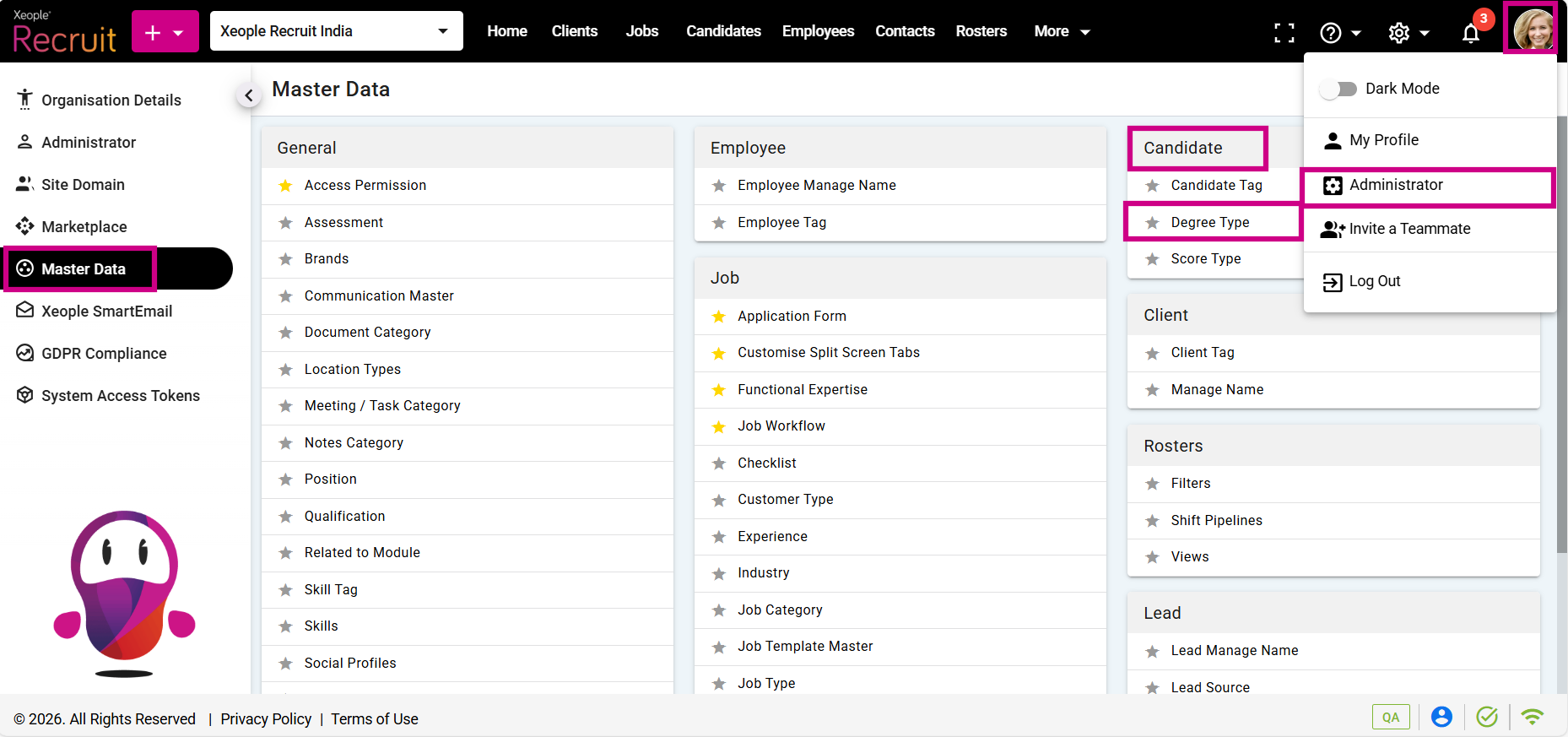
Profile Picture – Administrator – Master Data – Degree Type
- Click on the (+) add button on the top left.
- Enter the required fields and click Save.
- Click on the three-dot button placed in front of each degree type to edit or delete it.
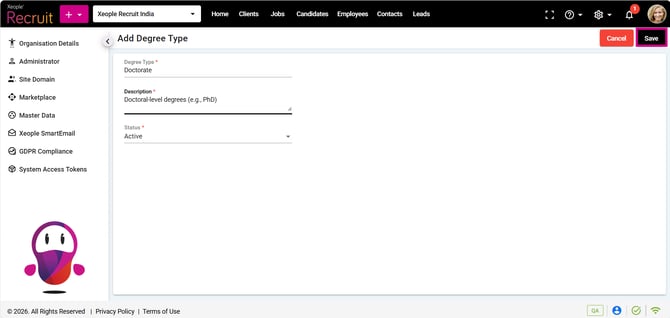
Add Degree Type – Save
- You can select the newly created Degree Type from the Degree Type drop-down in the Education section on the candidate or employee summary page.
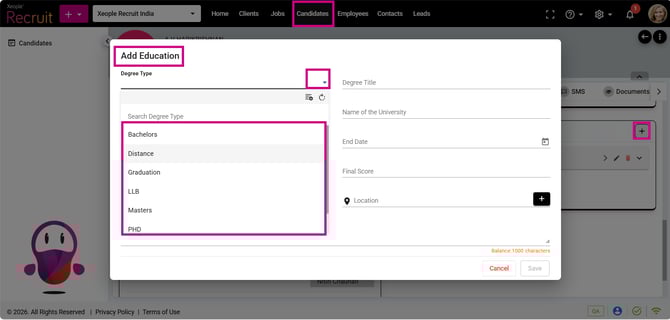
Candidate Summary – Summary - Education