
Contact Status Master helps you keep track of where each client or lead contact stands. It makes it easy to update and manage statuses like active, on hold, or inactive, so your contact information stays clear, current, and easy to work with.
To configure Contact Status Master, proceed by following the steps outlined below:
- Click on the Profile picture and select Administrator from the drop-down menu.
- Click on Master Data from the left navigation panel.
- Under the General Master Data, select Status.
- Now, you will see Groups, click on Contact three-dot button and select View from the drop-down.
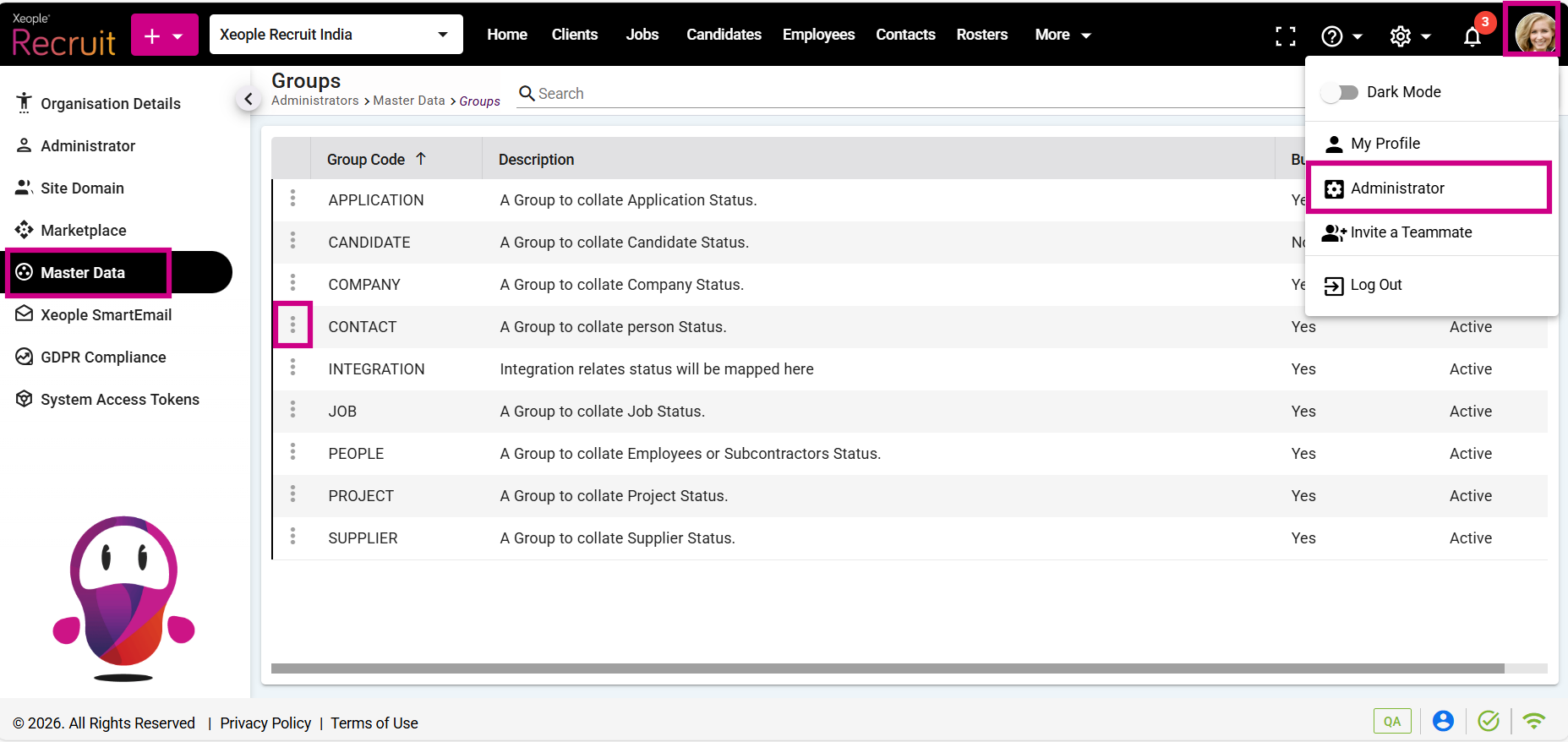
Administrator – Master Data – Status – Groups – Contact
- Click the (+) button to add new status.
- Enter the details and click Save.
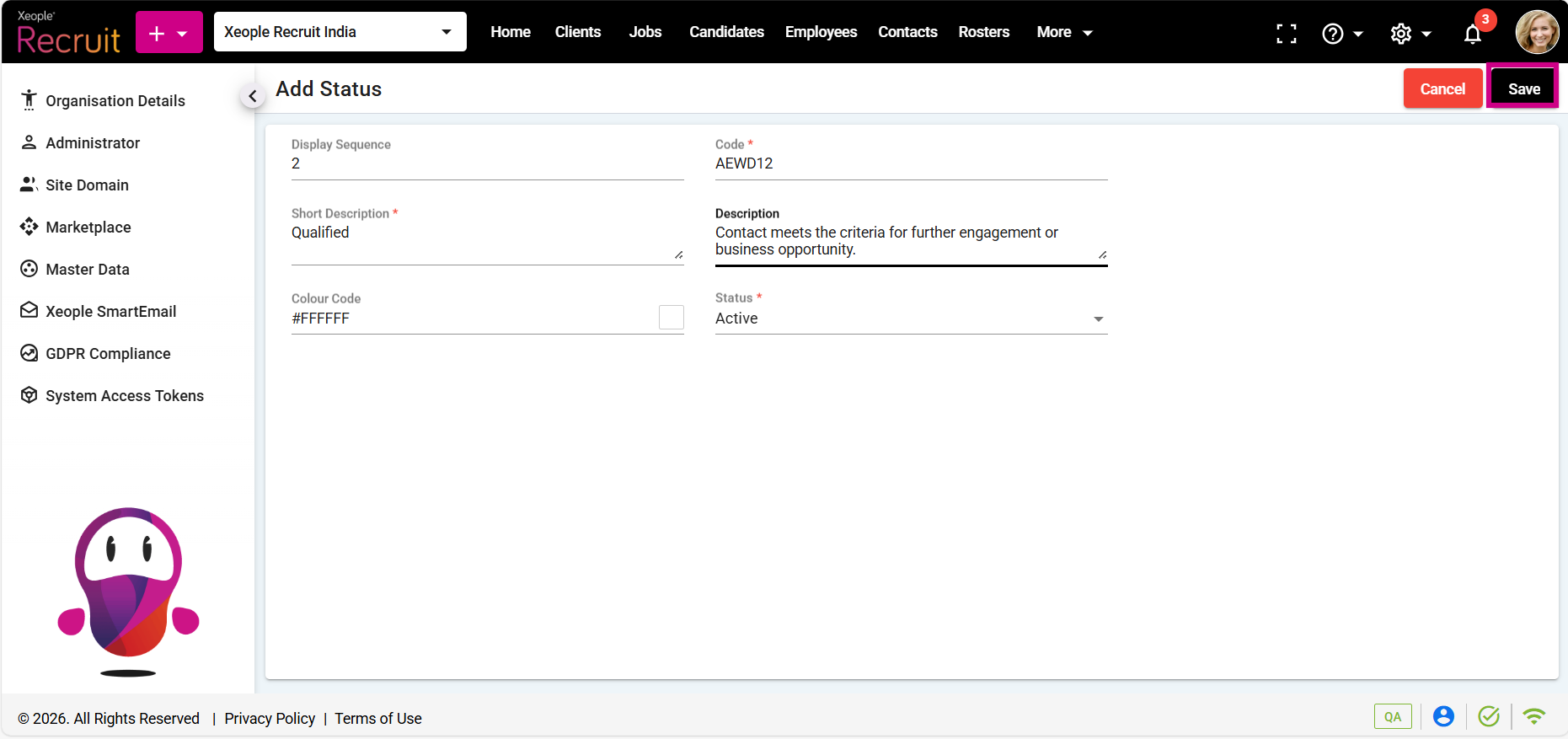
Master Data – Status – Groups – Add Status – Save
The contact status you create here will appear in the contact creation process under the status drop‑down menu. This status shows the contact’s current state, such as active, blacklisted, or do not contact, helping to easily track and manage contacts.
- If you wish to view, modify or remove the added status, click the three-dot button and select View or Edit, or Delete from the drop-down menu, as required.
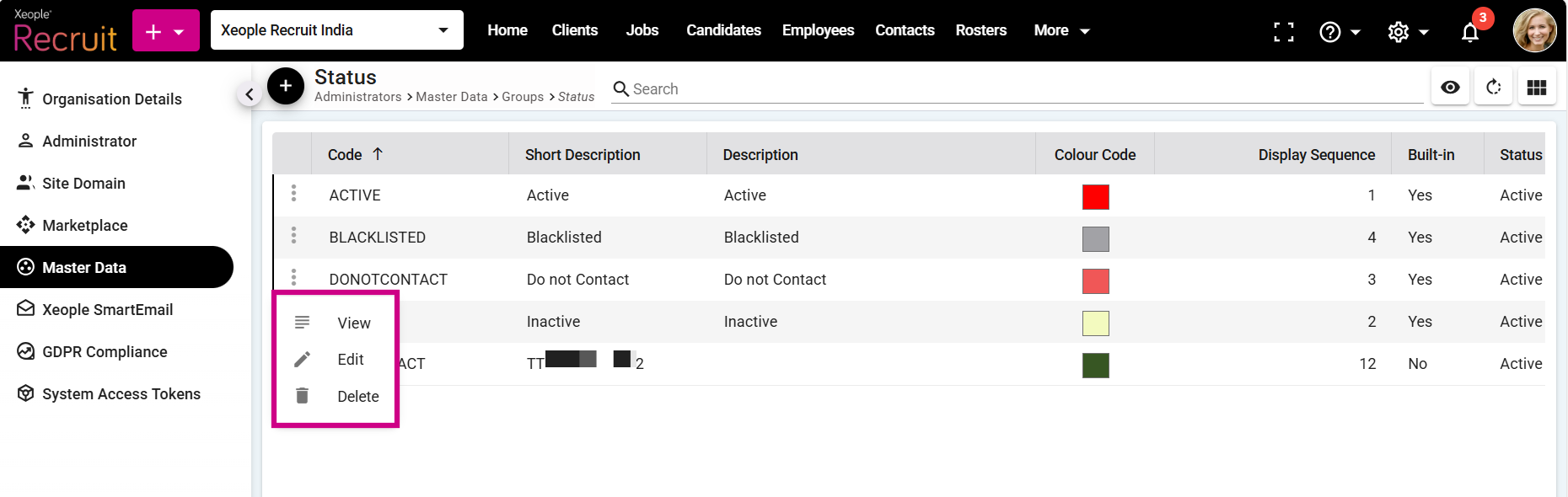
Master Data – Status – View, Edit or Delete
- You can change the contact’s status from the status drop‑down on the contact summary page.
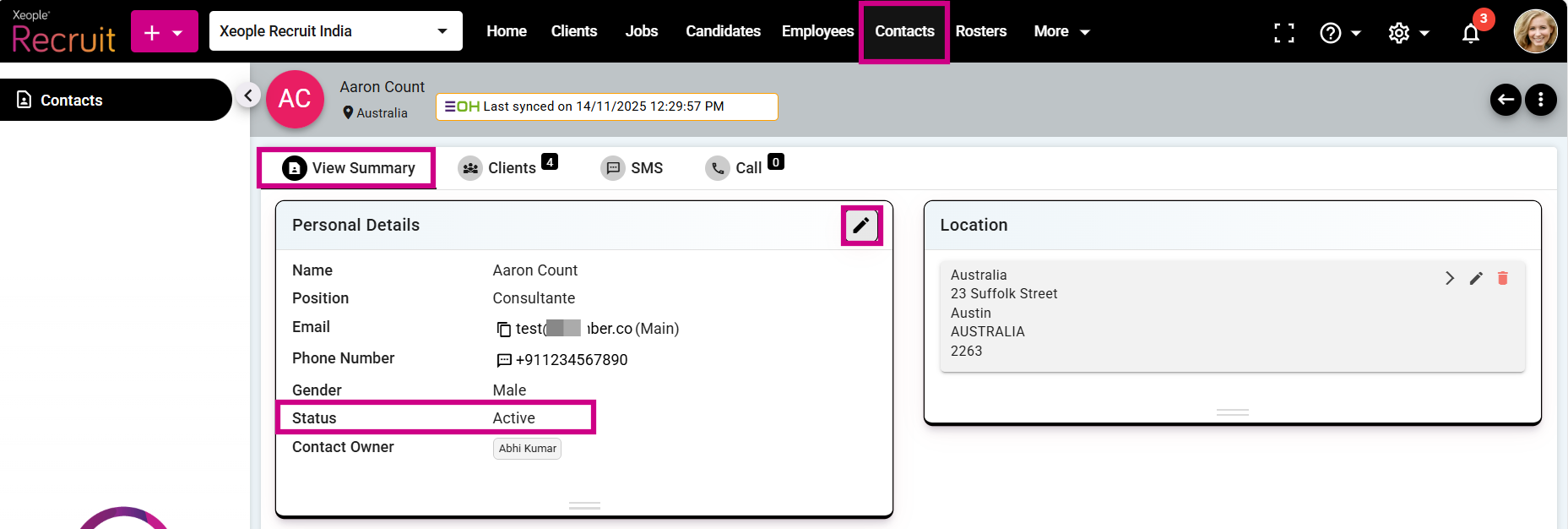
Contact Summary Page - Status