
Meeting/Task Category refers to a predefined classification for organising meetings based on the content, purpose, or other relevant criteria. The primary purpose of implementing meeting categories is to provide you with a structured framework for organising and managing your meetings efficiently. By categorising meetings into different categories, you can easily classify and locate relevant meeting information, enhancing productivity and meeting management.
Some benefits of using Meeting/Task Category include:
- Meeting categories facilitate systematic organisation of meetings, allowing you to group related meetings together and maintain a structured repository of meeting information.
- With meeting categories, you can quickly locate specific meetings by filtering them based on their assigned category, saving time and effort in searching for relevant information.
- Categorising meetings provides clarity and context to the information, making it easier for you to understand and interpret the purpose and content of each meeting.
- In collaborative environments, meeting categories enable team members to categorise and share meeting information effectively, facilitating seamless collaboration and communication.
To configure the Meeting/Task Category, follow these steps:
- Click on the Profile picture and select Administrator from the drop-down menu.
- Click on Master Data from the left navigation panel and select Meeting/Task Category under General.
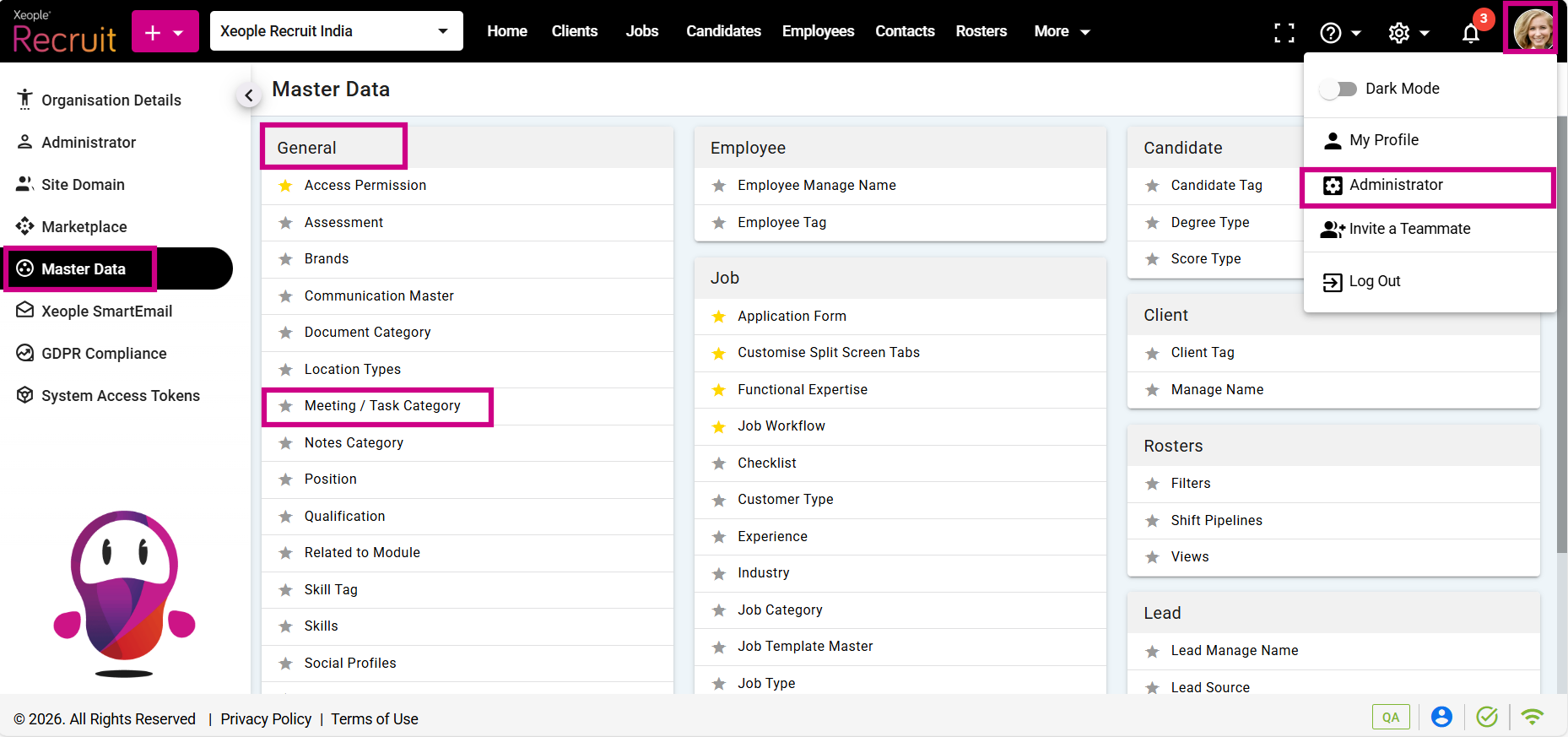
Administrator – Master Data – General - Meeting/Task Category
- For example, to create a Meeting/Task Category for a candidate, click on (+) add a Meeting/Task Category.
Similarly, you can create meeting categories for other modules such as clients, employees, jobs, etc.
- Enter the details and click Save.
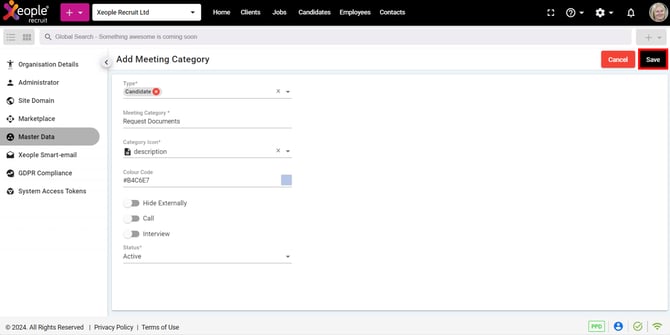
Add Meeting/Task Category - Enter Details
- The created Meeting/Task Category will appear in the list.
- Click on the three-dot button next to each Meeting/Task Category to Edit or Delete a Meeting/Task Category.
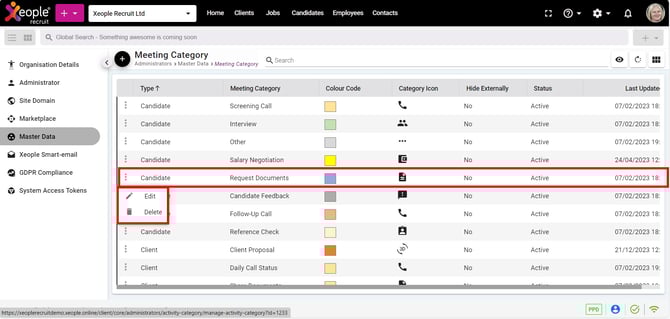
Meeting/Task Category - Created
The Meeting/Task Category created here will appear under the Meeting option when creating a meeting.
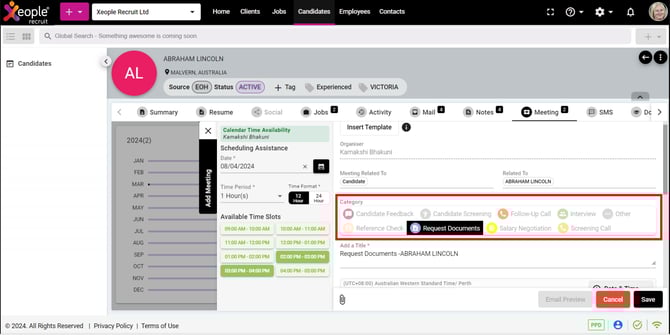
Add Meeting - Meeting/Task Category