
If you would like to update your password please first enter your current password and then your new password and select save
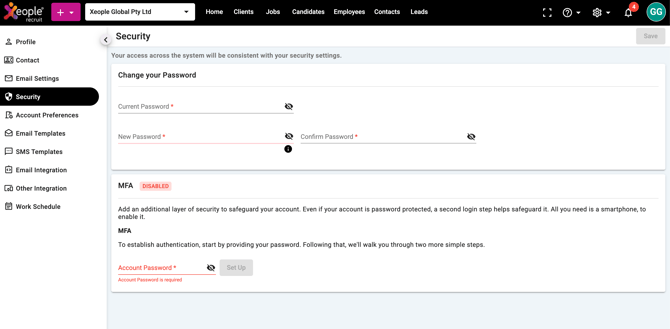
Why Password Rules Matter
Your access across the system is controlled by your security settings. Strong passwords help protect:
-
Client data
-
Personal staff details
-
System configurations
If your password does not meet the rules, the system will not allow you to save it.
Password Requirements
Your new password must include all of the following:
-
At least one lowercase letter (a–z)
-
At least one uppercase letter (A–Z)
-
At least one number (0–9)
-
At least one special character
-
Minimum 8 characters long
Not Allowed
The following special characters cannot be used: Special character '*% "- are not allowed.
Common Issues
| Issue | Cause | Solution |
|---|---|---|
| Cannot save password | Missing required character type | Add uppercase, lowercase, number, and special character |
| Error about characters not allowed | Using restricted symbols | Remove ', %, or " |
| Password too short | Less than 8 characters | Increase length |